WarGame | Team War Minigame 1.0.0
Solo, duo and squad war rounds with map voting, chest loot and an OP chest on a timer.

Solo, duo and squad war rounds with map voting, chest loot and an OP chest on a timer.
By @zArrowTan, part of Arrow Plugins.
📋 Overview
WarGame is a team war minigame. Players gather in the lobby, vote on a map, and get split into teams. Each team lands on its own island for a short warmup, then the borders drop and they fight until one team is left standing.
One round runs at a time for the whole server, so everyone online is in the same game. Rounds are solo, duo or squad, and you switch between them with a single command. Everything a player reads comes from a language file, and everything a round does comes from config.

The lobby filling up before a round starts
🧩 Dependencies
No required dependencies. SQLite is the default storage and needs no setup at all, so you can drop the jar in and start building arenas.
- PlaceholderAPI (optional) exposes
%wargame_...%placeholders for use elsewhere on your server, and lets you put other plugins' placeholders inside the WarGame scoreboard and tab lines. Get it here
The database drivers are downloaded on first start rather than bundled in the jar, so let that first start reach the internet.
👥 Three Game Types
- Solo one player per team
- Duo two players per team
- Squad four players per team
Set the type for the next round with /wars type, or lock it so it never changes. The number of team slots on an arena follows from the type and your maximum player count, so one arena serves whichever type you pick.
🎮 How a Round Plays
Lobby. The countdown starts once your minimum player count is met, or immediately with /wars start, and cancels again if players drop below the minimum. While it runs, players vote for the map they want in a menu. The winning arena is locked in when the countdown begins, with a random pick between tied maps.
Warmup. Teams are teleported to their island spawns and given the starting kit. A border holds each team on its island, damage is off, and anyone who walks off the map is pushed back.
Ingame. The borders drop and the round timer runs, twenty minutes by default. Players are eliminated by dying, by leaving the map bounds, or by disconnecting. The round ends when one team is left standing, or in a draw if the timer runs out first.
Finish. The winners are announced along with the top killer, stats are awarded and saved, your end-of-round commands run, and everyone is sent back to the hub for the next one.
Anyone who joins while a round is full is put in as a spectator, so nobody sits waiting at a black screen.

Leaving a round
📦 Chests and the OP Chest
Loot is placed by whoever builds the map. Put normal chests around the arena and the plugin fills each one with a handful of weighted random items when the round starts. No chest step in the setup menu, no coordinates to record.
An ender chest becomes the OP chest. It sits locked for a couple of minutes, then opens for a short window, and the cycle repeats for the rest of the round. A hologram above it shows whether it is open and how long until it changes, and the whole server is told the moment it unlocks, which pulls every surviving team toward the same spot.
Both timings, and the loot in both kinds of chest, are yours to set.
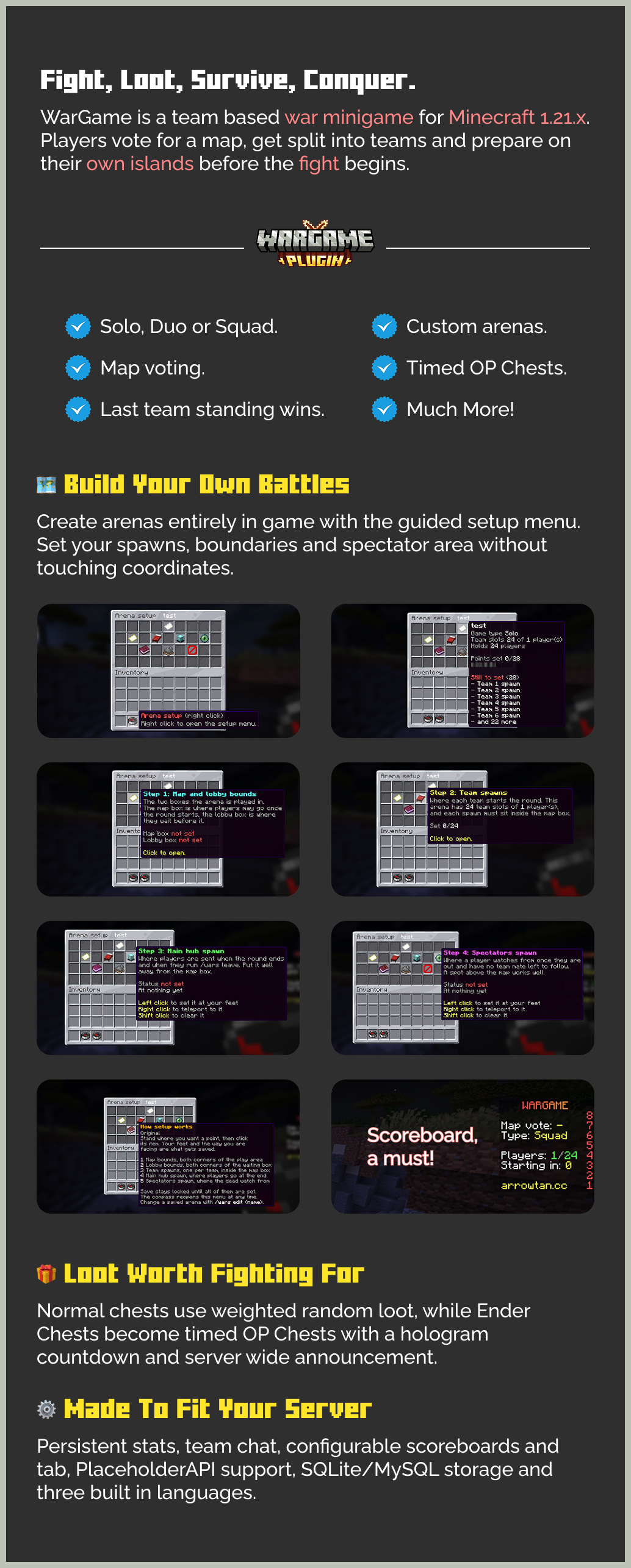
🛠 Arena Setup/wars create <name> <type> hands you a compass. Right click it to open the setup menu, which walks you through four numbered steps: the team spawns, the main hub, the map and lobby boundaries, and the spectators spawn.
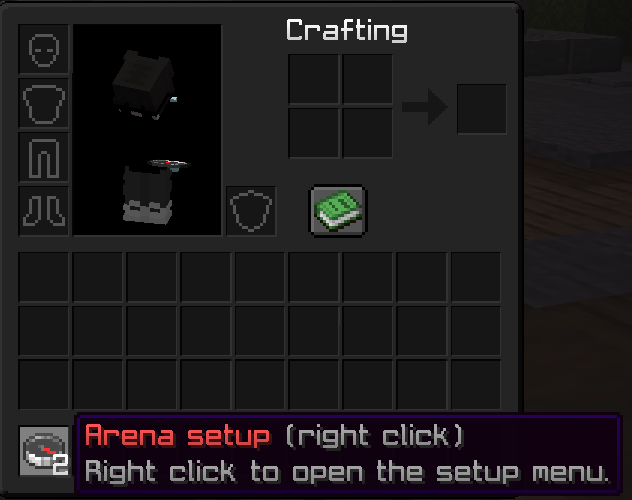
The setup tool arrives in your hotbar the moment you create an arena
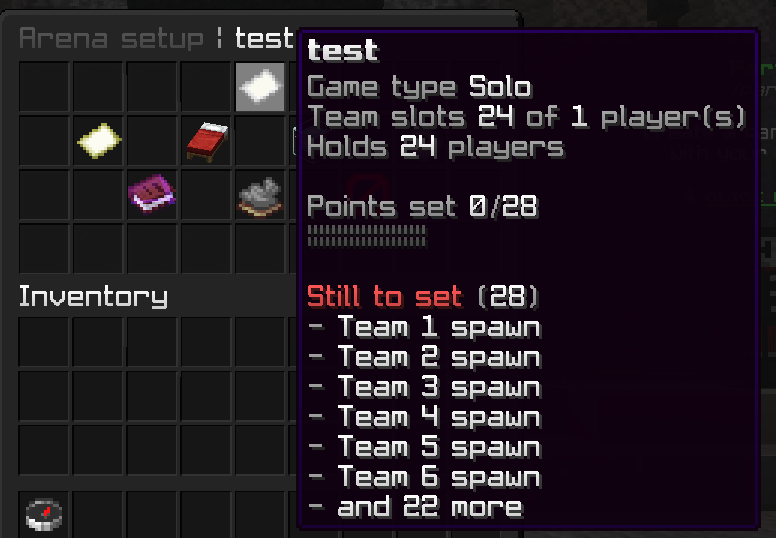
The setup menu, with every step and what is still missing
- Every item tells you what it is for, whether it is set, where it points, and what each click does
- Left click sets a point, right click teleports you to it, shift click clears it
- The arena item at the top shows the type, the team slots, the capacity, a progress bar, and what is still missing
- The save button carries its own state. Grey names the points you still need, red warns that a team spawn sits outside the map bounds, green means the arena is ready
- The bounds screen shows each box's world, size and both corners, so a corner marked in the wrong place is obvious before you save
Every step in the setup menu
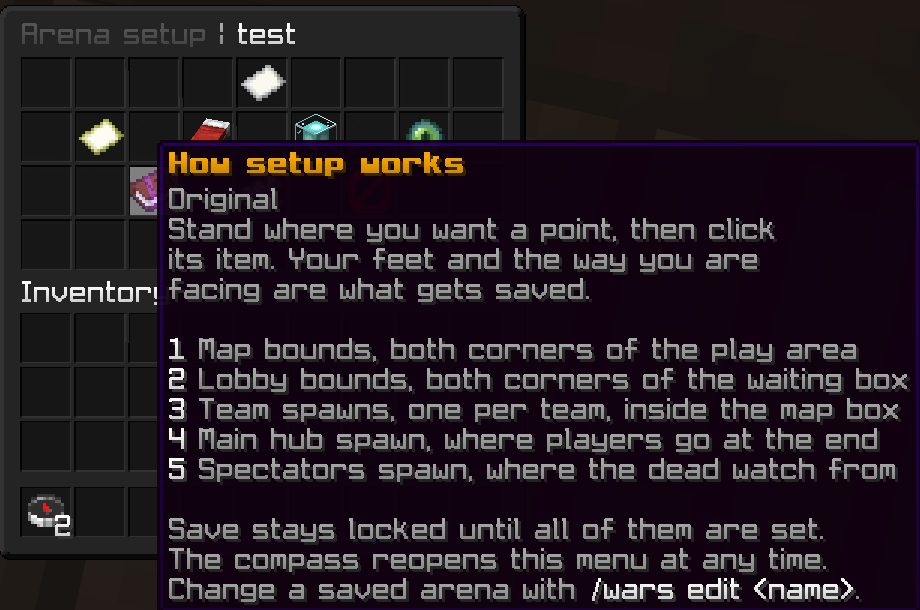
The menu explains how a round works as you build the arena
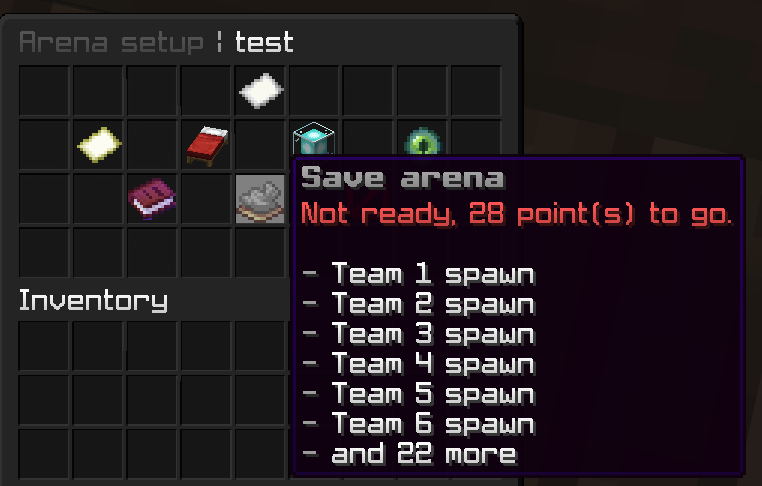
Setting the team points
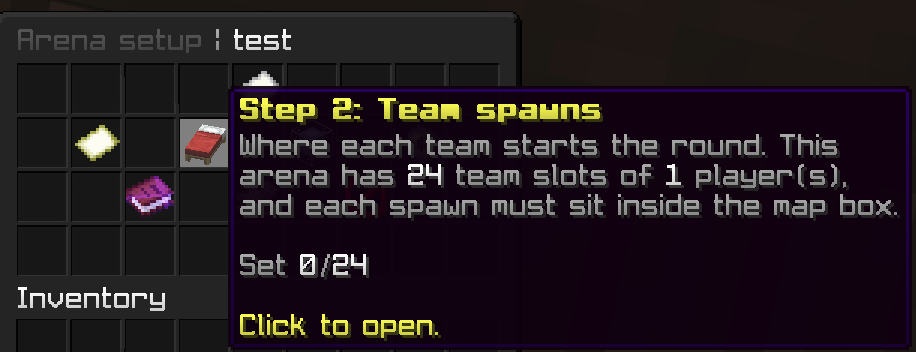
Setting a team spawn, where that team lands at the start of a round
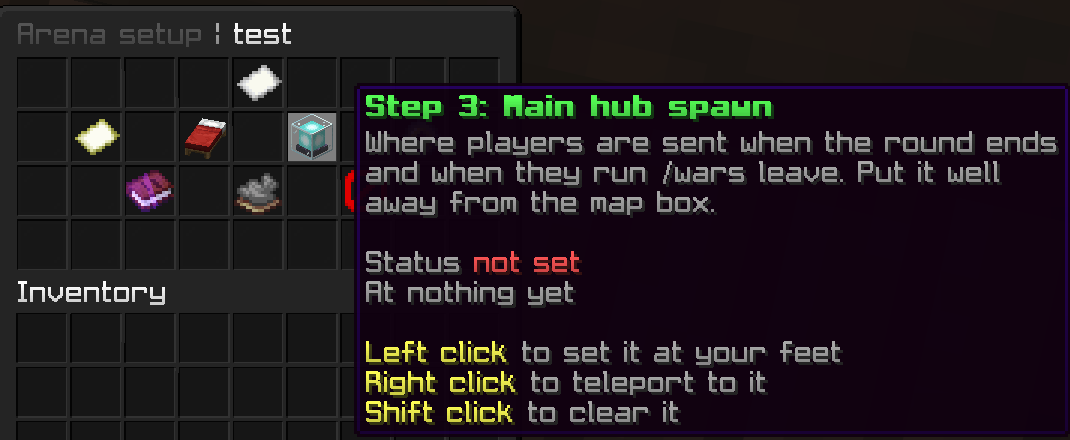
Setting the hub spawn, where players are sent once a round ends
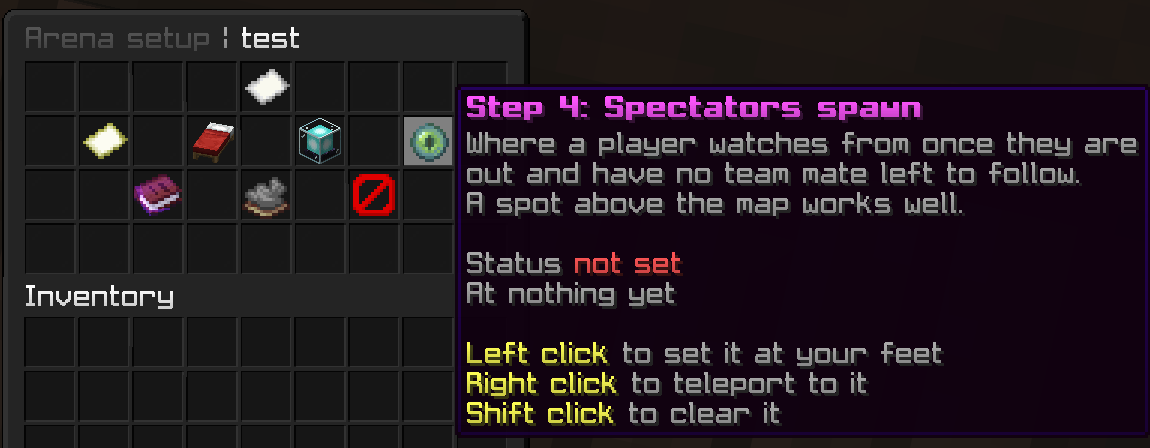
Setting the spectators spawn
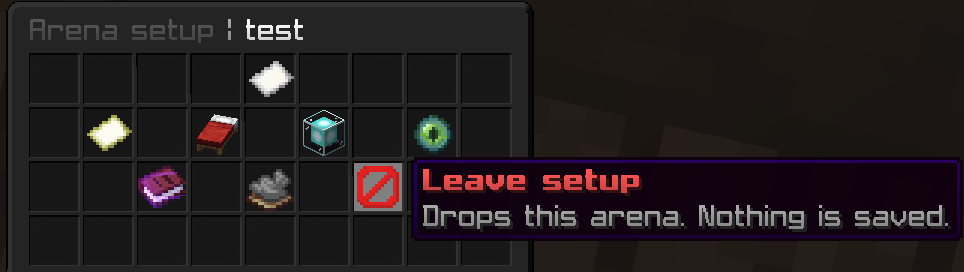
Leaving setup, which cancels the arena you were creating
/wars edit works on a copy of the arena, so nothing changes until you save and a round already running on it is untouched. /wars list and /wars delete round it out, with arena names in tab completion.
📊 Scoreboard and Tab
The sidebar and the tab list each have their own file and their own layout per stage, so the lobby, the warmup and the round itself can show completely different things. Both redraw on a timer and update in place, so nothing flickers.
- Tab takes a multi-line header and footer, and a name format per role, per stage
- Both carry an
enabledtoggle, so you can switch either off and let your existing scoreboard or tab plugin take over - Other plugins' placeholders work inside your lines when PlaceholderAPI is installed
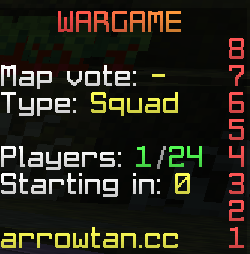
The sidebar during a round, laid out entirely from config
🔗 Placeholders
With PlaceholderAPI installed, WarGame exposes its own %wargame_...% placeholders for your hub scoreboard, your holograms, or anywhere else on the server:
%wargame_stage%      %wargame_time_left%
%wargame_map%        %wargame_teams_left%
The whole integration can be switched off in the config if you would rather it stayed out of the way.
🏆 Stats
Victories, losses, kills, deaths and points are tracked for every player and saved to your database. Points are awarded at the end of a round from the values you set, and never fall below zero. Players check their own with /stats, and staff can look up anyone.
Loading and saving happen off the main thread, and a round writes its results in a single pass rather than one player at a time.
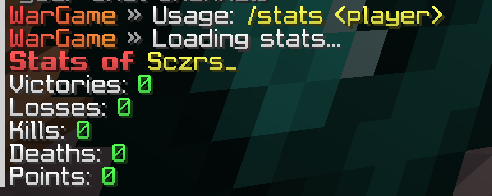
Looking up a player's stats
💬 Chat Channels
Teams get their own channel, so a squad can plan without the other side reading it. /wars chat flips between team and all, and prefixing a message with ! sends a single line to everyone.
Dead players and spectators see everything without being able to give the round away, and anyone outside the game talks to the others outside it rather than into an empty room.

Switching between team chat and global
⌨️ Commands
For everyone
/wars joinand/wars leaveenter or leave the round/wars chat [team|all]switch your chat channel, or flip it with no argument/stats <player>look up a player's stats
For staff
/wars create <name> <solo|duo|squad>create an arena and open setup/wars edit <name>reopen setup on an existing arena/wars listlist your arenas/wars delete <name> confirmdelete an arena/wars type <solo|duo|squad>set the type for the next round/wars startstart the countdown early
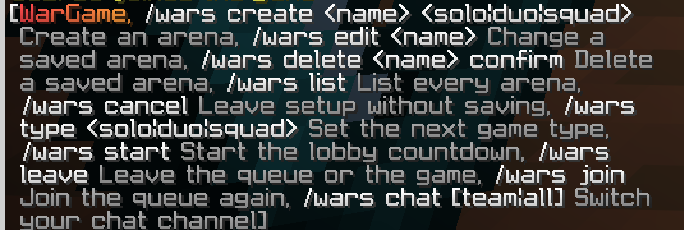
The in-game command list
🔐 Permissions
wars.statsuse/stats(default: everyone)wars.adminsetup and control commands (default: op)
🎛 Fully Configurable
config.ymlevery timer, number and toggle, with a comment above each key explaining what it doesstyles.ymlnamed colour tags, so you set your scheme once and write<brand>text</brand>instead of repeating codesscoreboard.ymlandtab.ymlthe sidebar and tab list, per stagearenas.ymlwritten by the setup menu, nothing to edit by hand- Configs update themselves when you install a new build, with your own settings kept
🌍 Three Languages Built In
English, French and Spanish ship with the plugin, English as the fallback. Every player-facing string lives in a language file, so nothing is stranded in code. Drop your own file into the lang folder and point the config at it to add another language.
💾 Storage
SQLite by default, written to a file in the plugin folder with no setup at all. Switch to MySQL by filling in the connection details in the config, with a table prefix if you share the database. All database work runs off the main thread, and the plugin tells you plainly and stops if it cannot reach your database, rather than running half-broken.
🧪 Requirements
- Minecraft: 1.21.x
- Server software: Spigot or Paper
- Java: 21
- Storage: SQLite out of the box, MySQL optional
- Dependencies: none required, PlaceholderAPI optional
💬 Support & Docs
Full setup and configuration guides are in the documentation. Have questions, found a bug, or want to suggest a feature? Join the Discord for updates, help, and support.
Statistics
Views
Purchases
Downloads
File size
Published
Updated
Info
Share & Earn
Share and earn part of the profits, an estimated €0.5 per product sale.
Product Image
Links