zQuestRank | Quest-Based Ranks 1.3.4
Quest-based rank progression: finish per-rank quests, meet requirements, claim the rank and rewards.


Players climb configurable ranks by completing per-rank quests and requirements, then claim rewards.
By @zArrowTan, part of Arrow Plugins.
📋 Overview
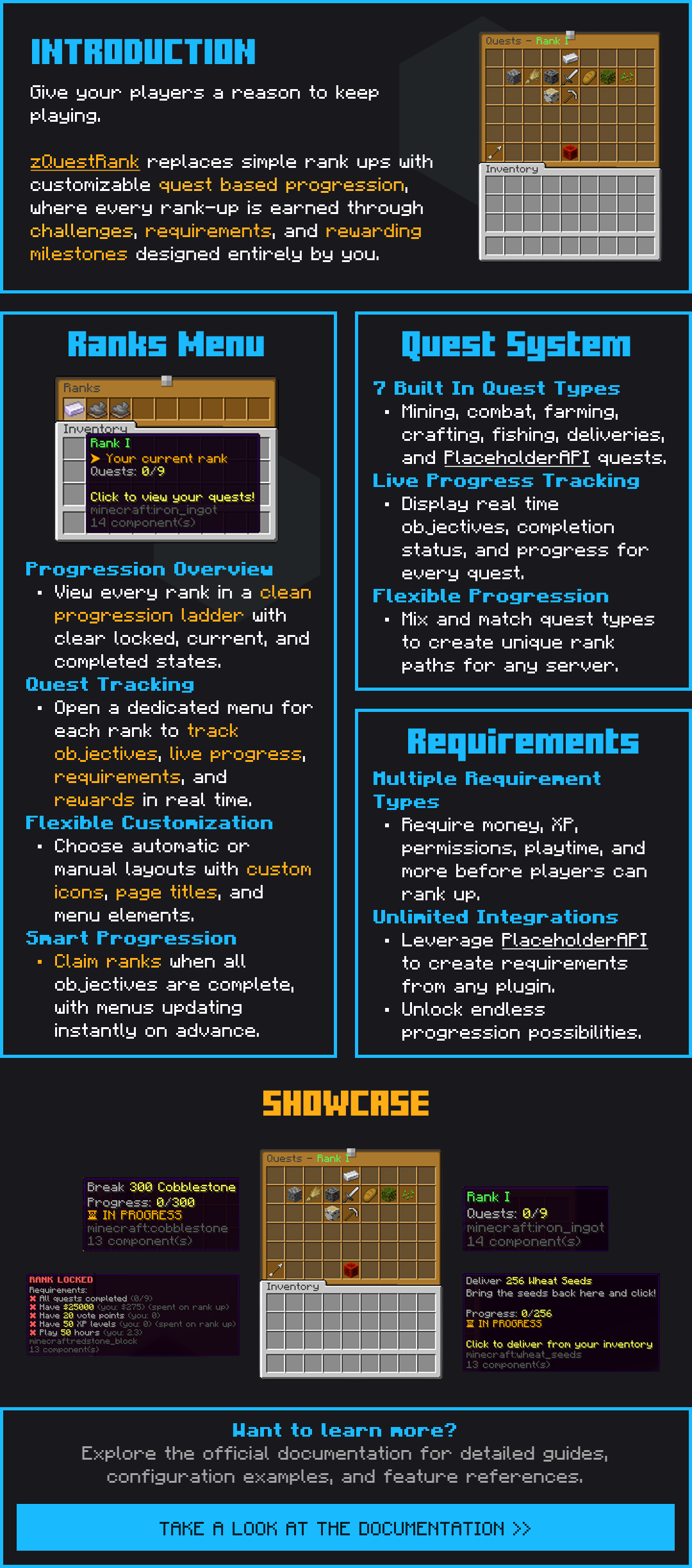
zQuestRank gives your server a real rank progression system. Every player advances through the ranks you define, one at a time, by finishing a set of quests for their current rank and meeting any extra requirements you attach to it (money, votes, playtime, job levels, and so on). When both are done, they click Claim Rank, the rewards fire, and the next rank unlocks. Everything is config-driven, no rank count, quest count, or menu slot is hardcoded.
🧩 Dependencies
No required dependencies. zQuestRank runs on its own, drop it in and go. Three optional plugins each unlock more of what it can do:
- Vault (optional) enables money as a rank requirement and money as a reward. Get it here
- PlaceholderAPI (optional) unlocks placeholder quests and placeholder requirements, so votes, job levels, island levels, ScrollQuest counts, or any numeric placeholder from another plugin can gate a rank. Also resolves inside rank and quest
display-name,description, and lore (great for ItemsAdder emojis), and exposes%zquestrank_...%placeholders for scoreboards and tab. Get it here - ItemsAdder (optional) lets you use ItemsAdder custom items as rank and quest icons, and ItemsAdder images inside names and messages, in menus and in chat alike. Get it here
🎯 The Rank Menu
Players open /rank to see every rank on their journey, one clean icon per rank. Locked ranks, ranks they've already earned, and the one they're working on all have their own visual state, so it's always obvious where they are and what's next. Only the current rank is clickable, previous ranks stay viewable but locked from progress, and future ranks are locked until they arrive.
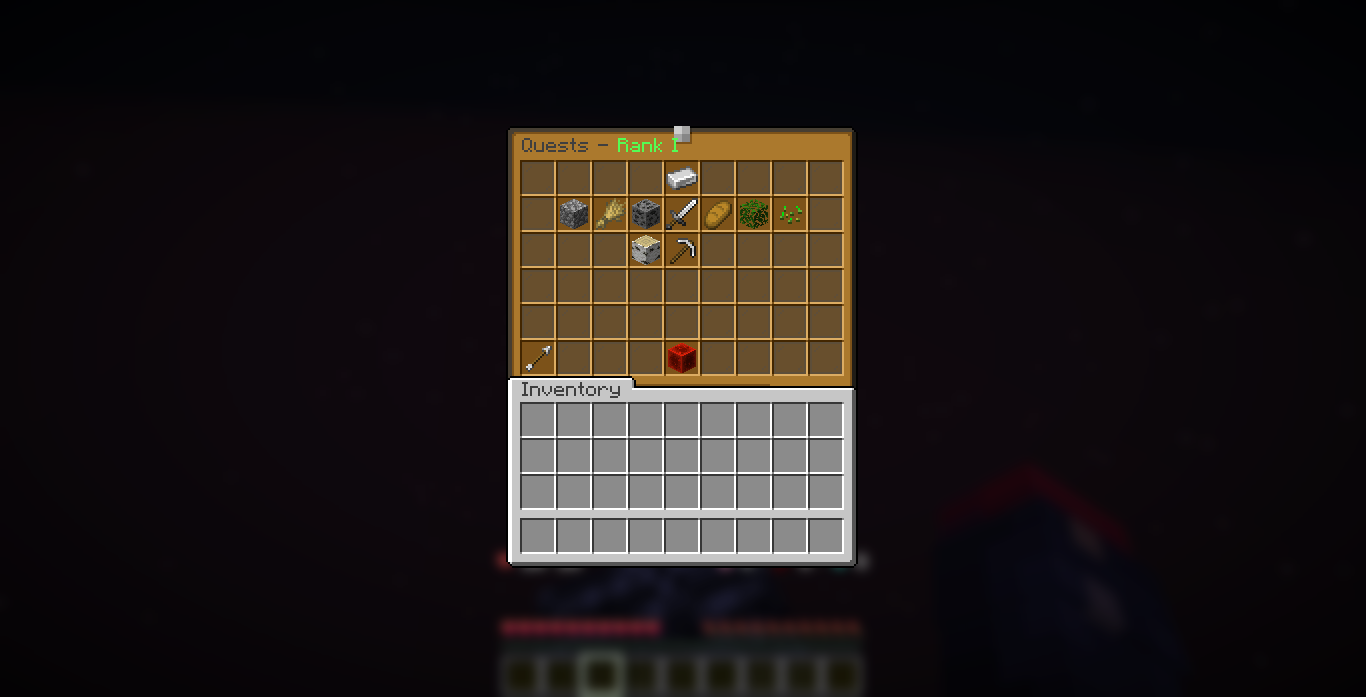
Clicking the current rank opens the Quest Menu, all of that rank's quests laid out with objective, live progress, and completion state.
You can keep extending the ladder later. Players who have finished your last rank simply sit at the top until you write another one. The moment you add it and reload, every one of them picks it up on their own: the new rank's commands run for them, they get a chat line telling them a new rank is out, and any open menu redraws on the spot. Online players within seconds, everyone else on their next join, with no admin command for anyone.
The rank menu, every rank on the ladder at a glance
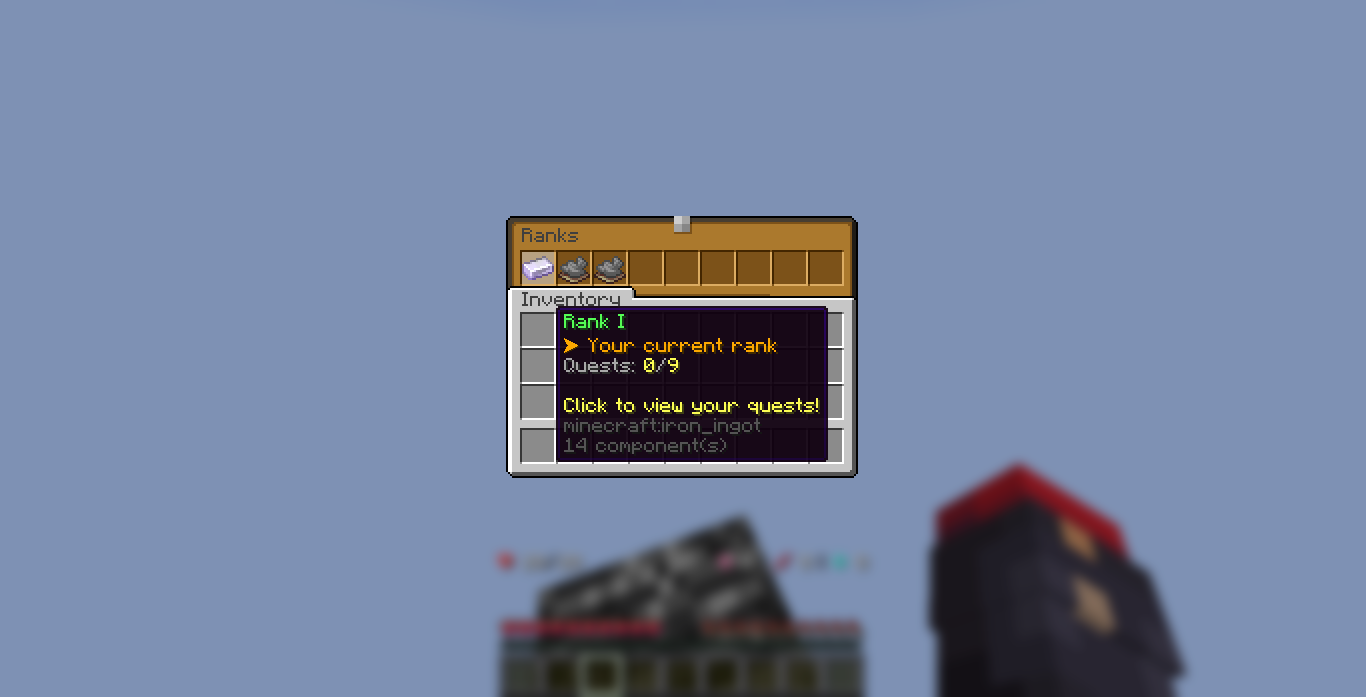
Hovering the current rank shows its progress and quests
Screenshots use a custom resource pack (menu icons appear recoloured); the default look is standard vanilla items.
🖼 Decorations & Menu Text
Place any item you like in the rank menu purely as decoration: a title across the top, an explanation of how ranking up works, server information, or a row of glass to separate sections. Give it a name and as many lines of text as you want and it just sits there, doing nothing when clicked.
gui:
  decorations:
    - slots: [4]
      page: all
      icon: OAK_SIGN
      name: "&6&lServer Ranks"
      lore:
        - "&7Complete the quests of your"
        - "&7current rank to move up."
        - ""
- "&eYou are &f%zquestrank_rank_name%"- Any slot, any page. Fill one slot or several, on one page, a list of pages, or every page
- Any icon. A plain material, a material with custom model data, or an ItemsAdder item
- Full colour and placeholder support in the name and every lore line, ItemsAdder images included. Leave the name out for a plain filler
- Written your way, as a list or as named blocks, whichever you find easier to keep tidy
The page arrows are yours to word too. Set the general text once, then override it for a single page, and give the arrows their own lore lines the same way. The quest menu can carry a different title per rank, chosen by position or by the rank's own name.
menu:
  next-page: "&eNext page"
  next-page-1: "&eOn to the high ranks"
  quest-title: "Quests - {rank}"
  quest-title-vip: "&fVipTitleImage"
📜 Six Quest Types
- Break Block: mine cobblestone, break coal, chop logs, collect leaves. Blocks a player placed themselves don't count, no place-and-break cheese
- Harvest: harvest wheat, potatoes, carrots, only fully-grown crops count
- Kill Mob: any mob type, or a specific one (zombies, blazes, ender dragons, and so on). Players are excluded
- Craft Item: craft any item, with shift-click properly counting the full stack
- Deliver Item: bring items back to the quest menu, click to deliver, the items are consumed and progress saves
- Placeholder: tie a quest to any numeric placeholder from another plugin, ScrollQuest counts, job levels, or anything else PlaceholderAPI exposes
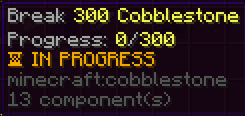
A Break Block quest, mine 300 cobblestone
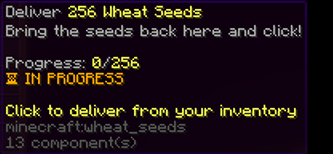
A Deliver Item quest, bring 256 wheat seeds to the menu
🎚 Extra Requirements
Quests alone are the core of it, but you can also gate a rank behind extra prerequisites so a player has to meet them all before Claim Rank works:
- Money via Vault (have it, or optionally take it on claim)
- XP levels (have them, or optionally take them on claim)
- Playtime hours (tracked from the vanilla statistic)
- Permission (grant it via LuckPerms, PermissionsEx, and so on)
- Any placeholder via PlaceholderAPI, gate a rank on votes, island level, job level, ScrollQuest count, anything numeric
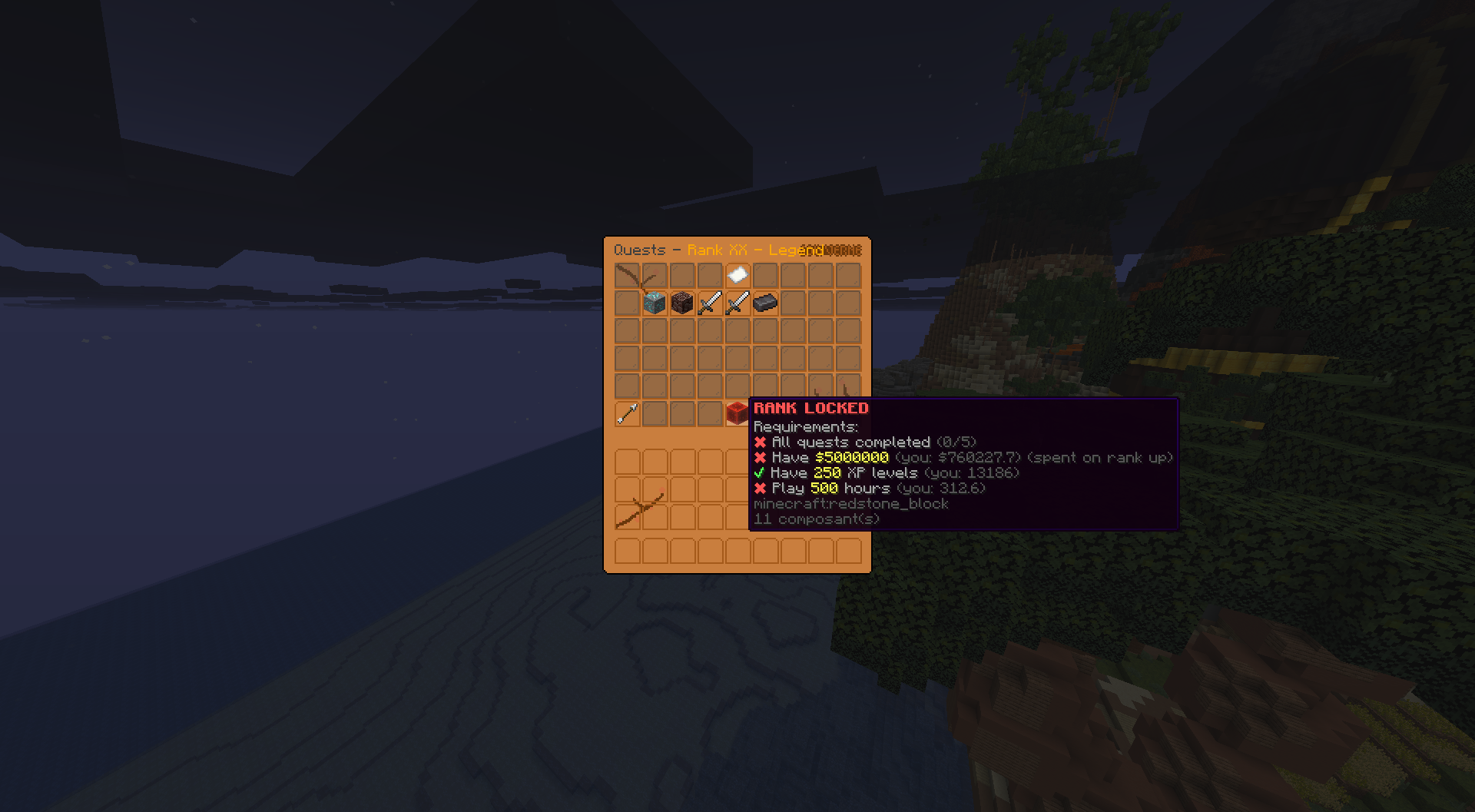
Every requirement laid out inside the rank menu
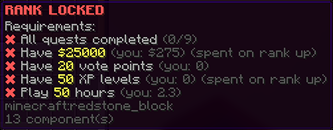
Hovering a locked rank to see exactly what's still needed
🎁 Flexible Rewards
Every rank pays out any mix of these when the player claims it:
- Money via Vault
- XP levels
- Items (any material, any amount)
- Console commands with a
{player}placeholder, so you can run LuckPerms rank sets, crate key giveaways, cosmetic unlocks, whatever a command can do - An optional promotion broadcast to global chat, toggleable per rank
🌐 Client-Language Item Names (Paper)
On Paper servers, quest icons for blocks, items, and mobs render in each viewer's own game language. A French player sees "Blé", a Japanese player sees "小麦", every player reads the quest in their own tongue with no work from you. Spigot servers fall back to clean English names, so nothing breaks.
⌨️ Commands
Main command /rank (aliases /ranks, /zqr, all configurable).
Players
/rankopen the rank menu
Admin
/rank admin setrank <player> <rank>set a player's rank directly/rank admin resetquests <player>reset a player's current-rank progress/rank admin placeholdertest placeholder values on yourself/rank admin reloadreload all config and language files
🎛 Fully Configurable
ranks.ymlevery rank, its quests, its requirements, and its rewards. Ships with three example ranks, fully commentedconfig.ymlmenu layout, decorations, command name and aliases, promotion broadcasts, and general settings- Updates only add. New keys merge into your files with their comments, and everything already in your file stays exactly as you wrote it, in whatever shape you wrote it, including your own extra keys and notes
- Automatic backups. Before any update changes your config or language file, the old one is copied into a
backups/folder named after the version it came from - Rename the command to anything you like (
/prestige,/tiers, and so on) right from the config, no plugin changes needed - Full color support both
&codes and&#rrggbbhex everywhere
🔐 Permissions
zquestrank.useopen the rank menu (default: everyone)zquestrank.adminall/rank adminsubcommands (default: op)
🧪 Requirements
- Minecraft: 1.18 and newer
- Server software: Spigot or Paper (Paper unlocks client-language item names)
- Java: 17 or higher
- Languages: English and French bundled, with easy custom translations
📈 Metrics
This plugin sends anonymous usage stats to ArrowStats: server version, player count and plugin version, nothing about your players. You can opt out anytime in plugins/ArrowStats/config.yml.

💬 Support & Docs
Full setup and configuration guides are in the documentation. Need help, found a bug, or want to suggest a feature? Join the Discord.
Recent Reviews (1)
View all reviews →
Amazing plugin :)


Thank you :)
Amazing plugin :)
Thank you :)
Statistics
Views
Purchases
Downloads
File size
Published
Updated
Info
Share & Earn
Share and earn part of the profits, an estimated €0.5 per product sale.
Product Image

Links