AT-StaffMode | Your Ultimate Staff Tool 1.6.0
One of the best StaffMode Plugins for your Minecraft server Moderation!!

🛡️ ATStaffMode – Staff Tools Series
A comprehensive staff management system with unified staff mode and advanced reporting.
Features moderation tools, staff chat, freeze & vanish with full inventory management and report tracking.
Made with ❤️ by @zArrowTan & @Dhrone12 – part of the Staff Tools Series.

Take a look at some staff management previews showcasing
the powerful features of ATStaffMode in action.
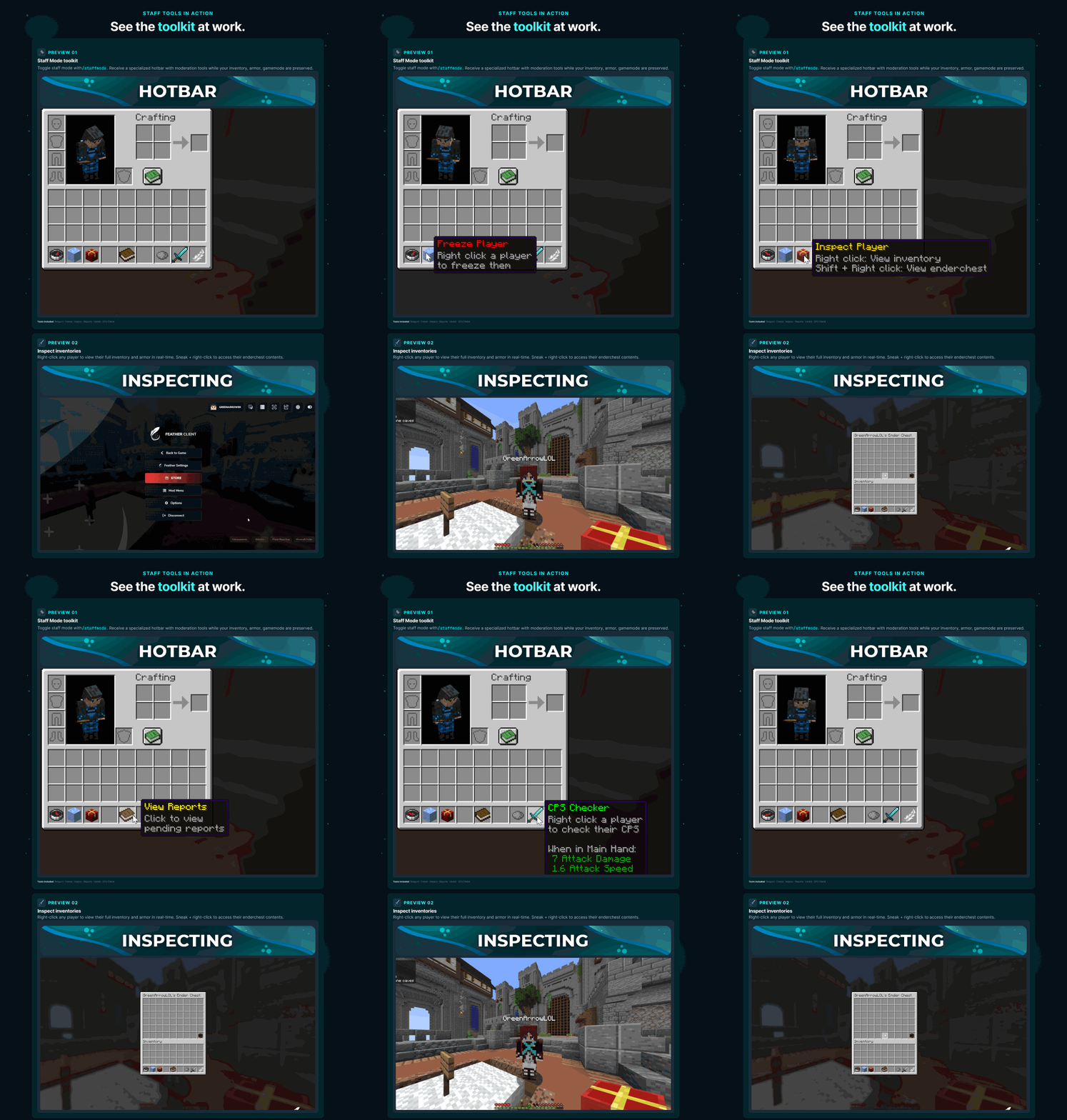
 Toggle Staff Mode with /staffmode command. Receive a specialized toolkit with moderation tools in your hotbar. Your inventory, armor, and gamemode are automatically saved and restored. 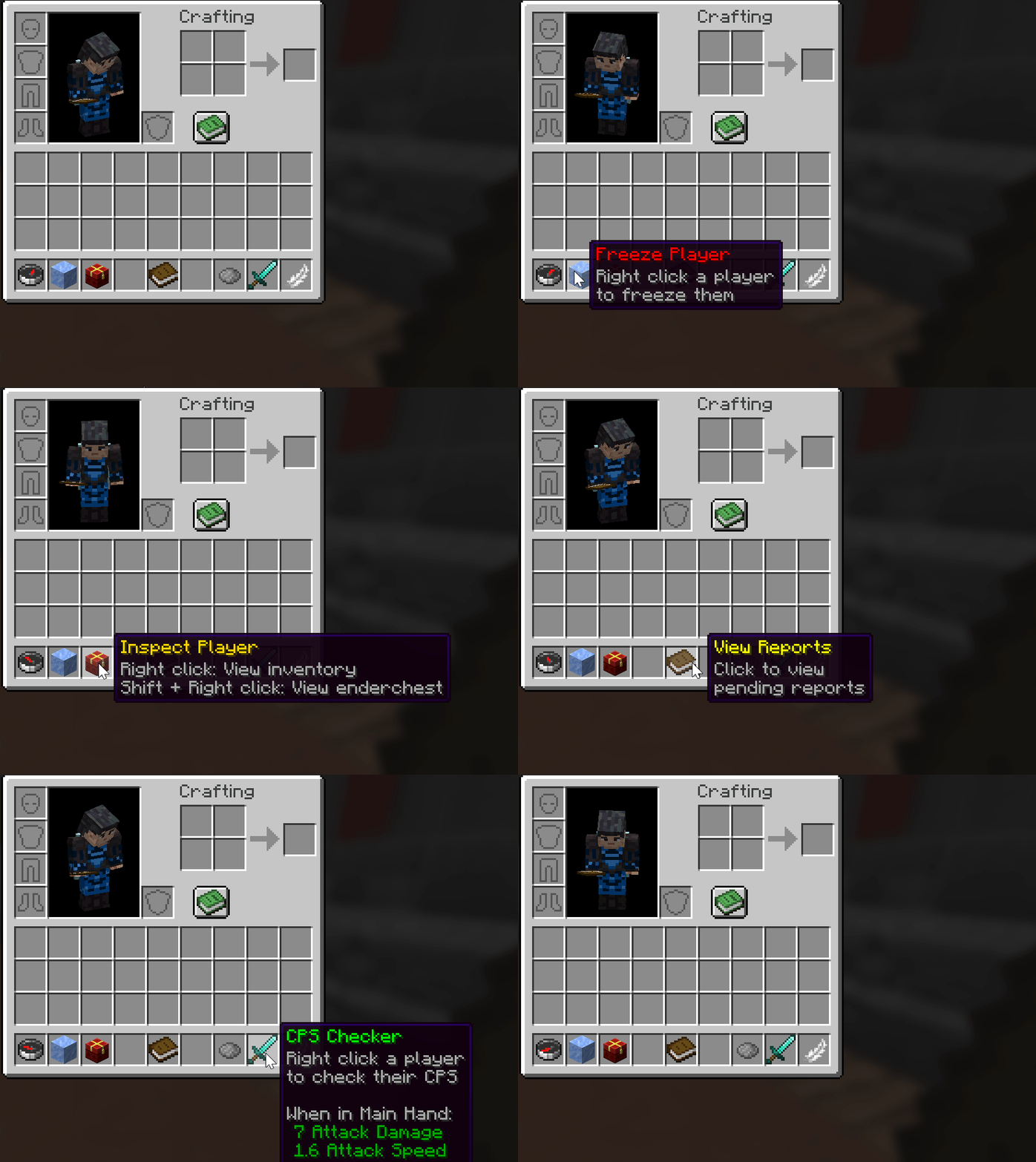 Staff Mode hotbar with custom toolkit items. Teleport, Freeze, Inspect, Reports, Vanish, and CPS tools! |
 Use the Inspect Tool to view any player's inventory in real-time. Right-click a player to see their inventory and armor. Sneak + right-click to access their enderchest contents. 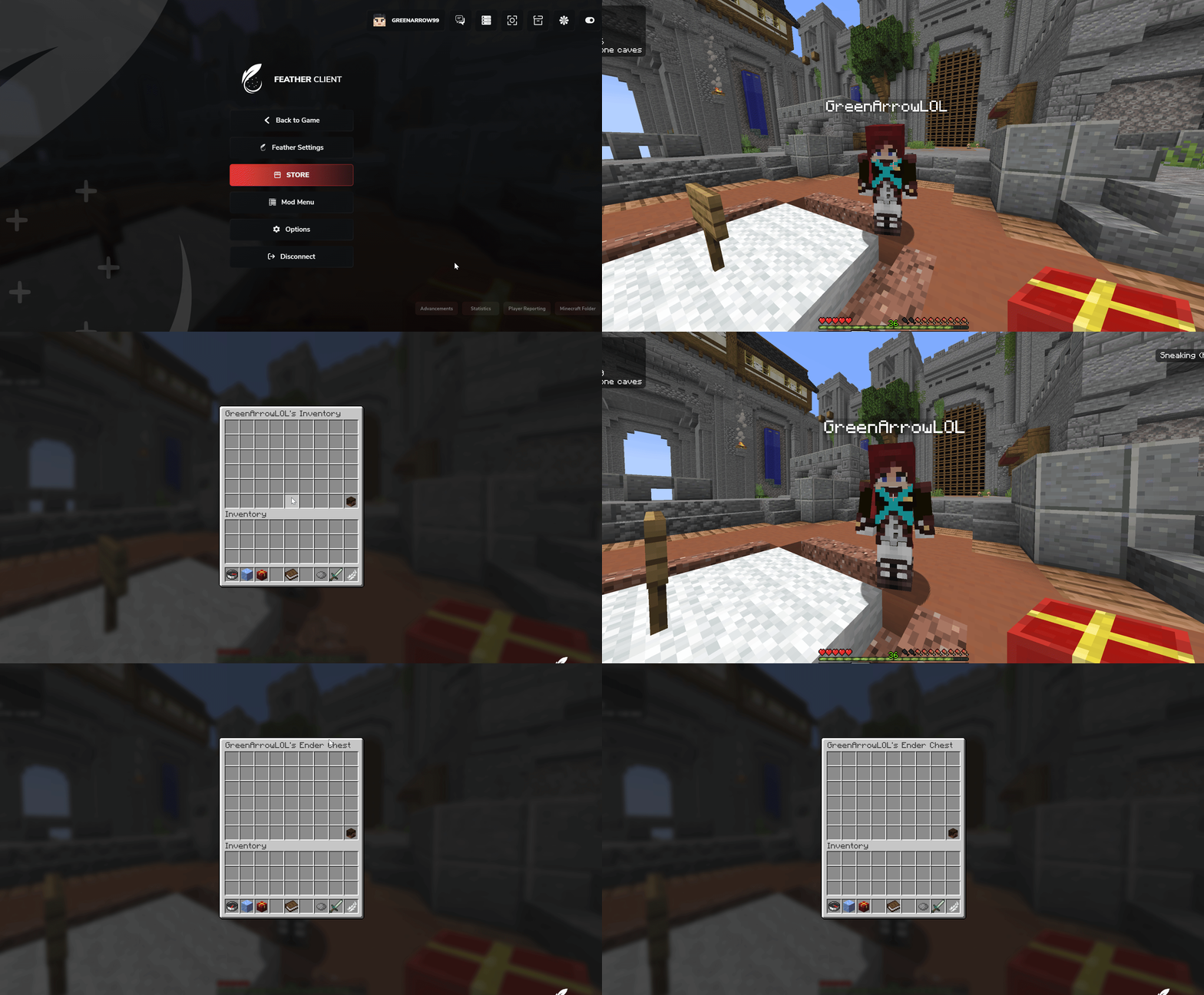 Inspect player inventories and enderchests. Monitor items in real-time for moderation purposes! |
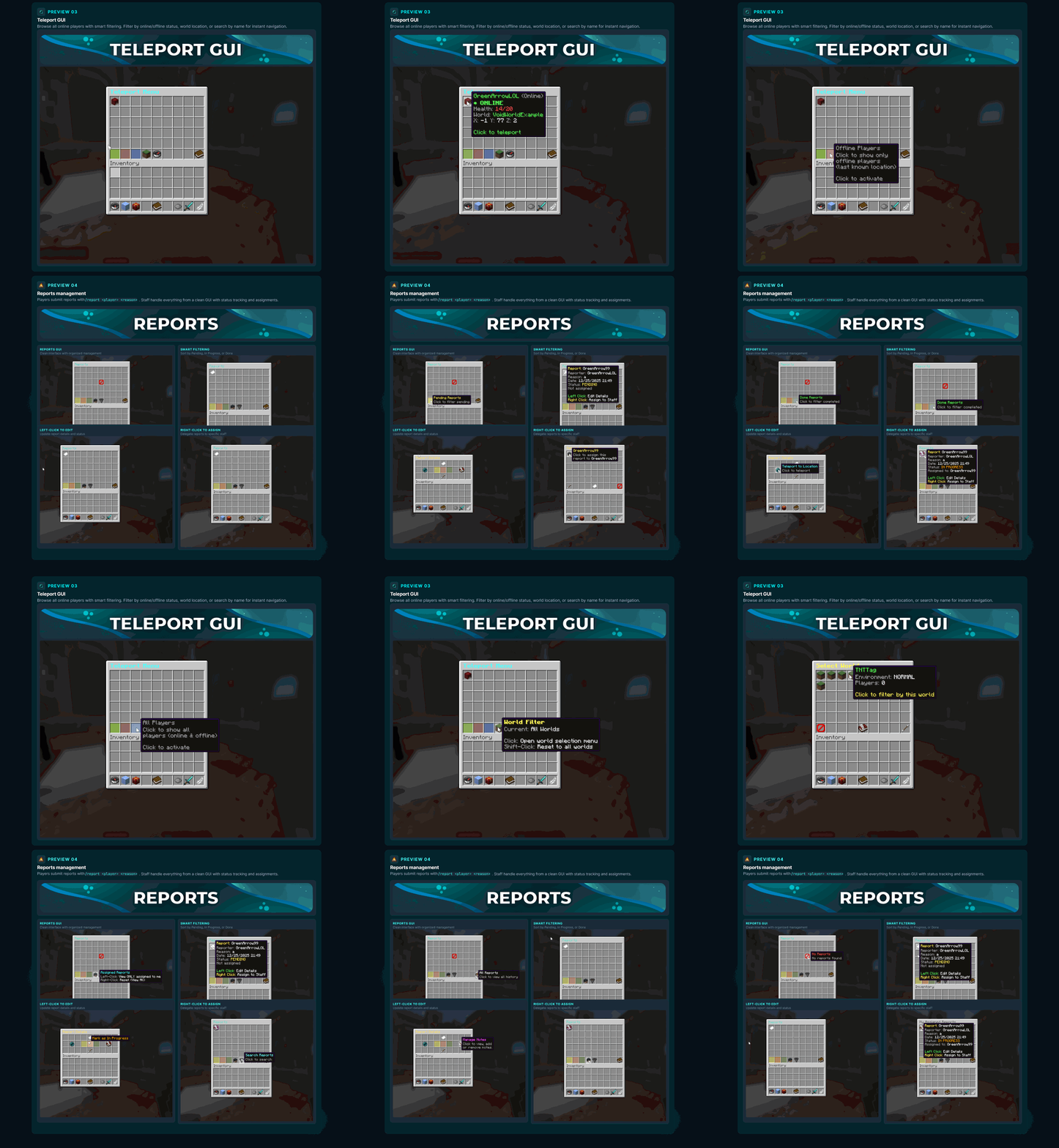
 Access the Teleport GUI for quick player location management. View all online players with extensive filtering options. Filter by online/offline status and world location for easy navigation. 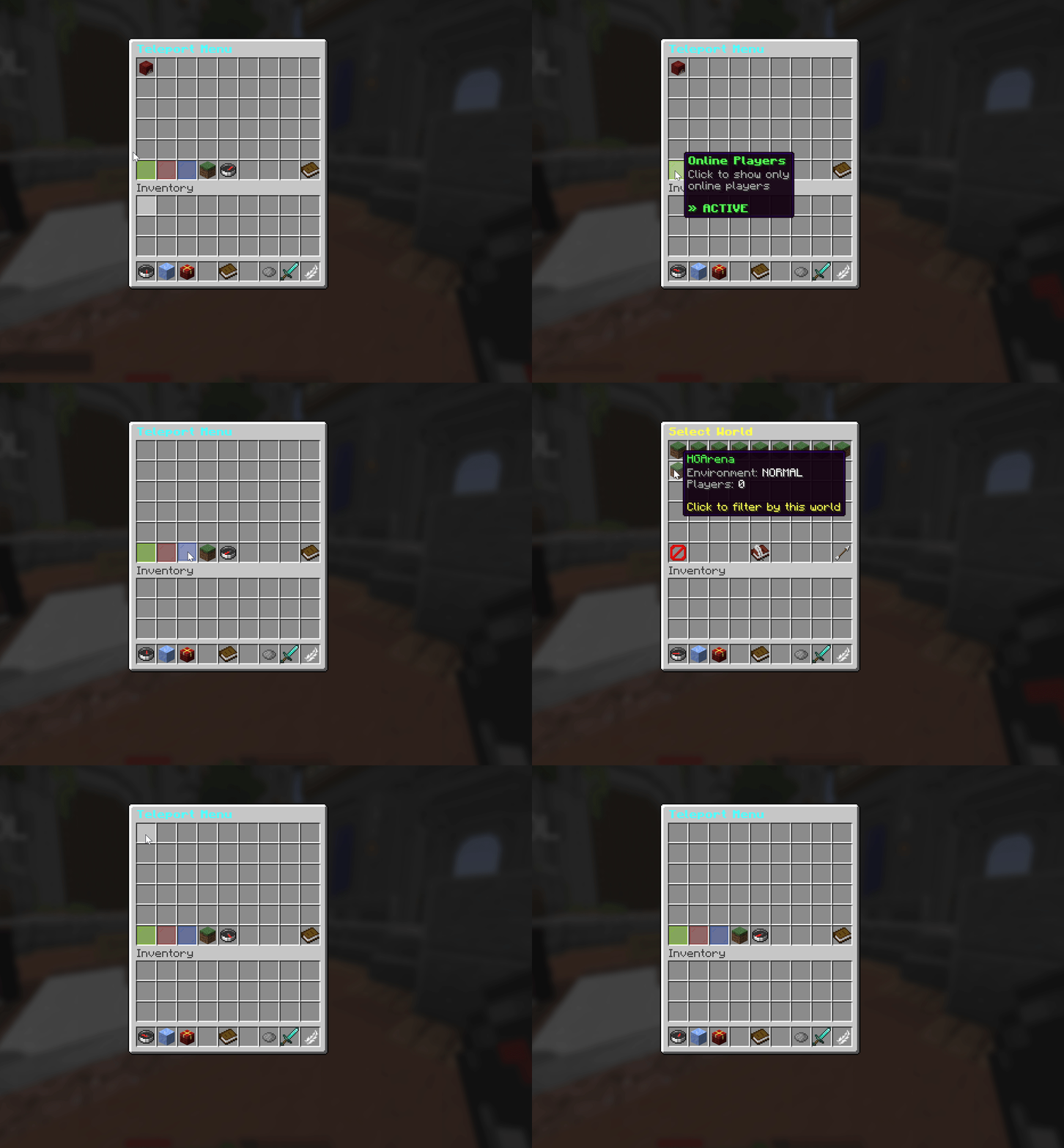 Teleport GUI with smart player filtering. Navigate efficiently with world and status filters! |
 Manage all player reports through the comprehensive Reports GUI. Players submit reports with /report command. Staff can view, filter, assign, and track report status efficiently. 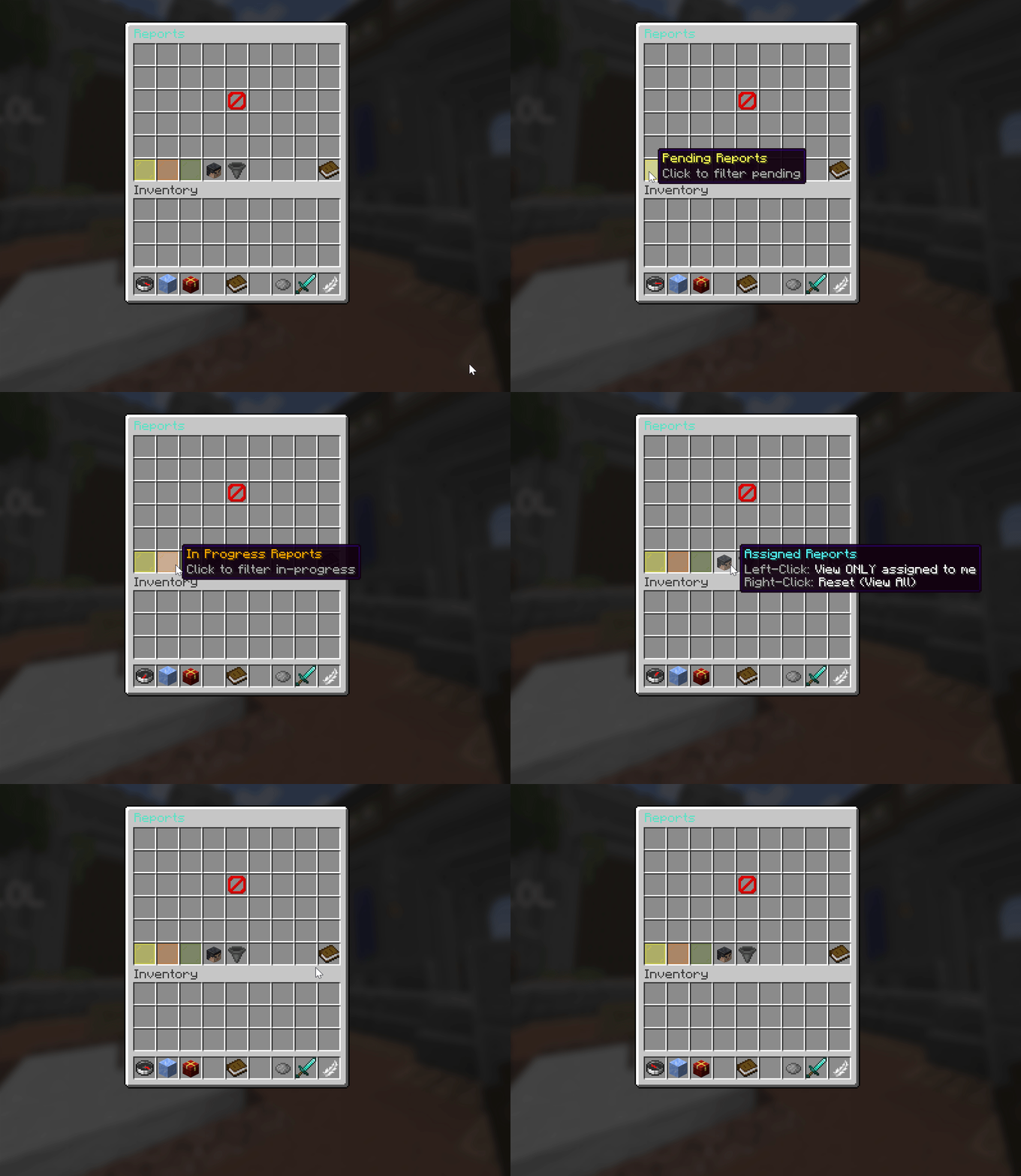 Reports GUI showing clean interface. All reports handled with organized management! 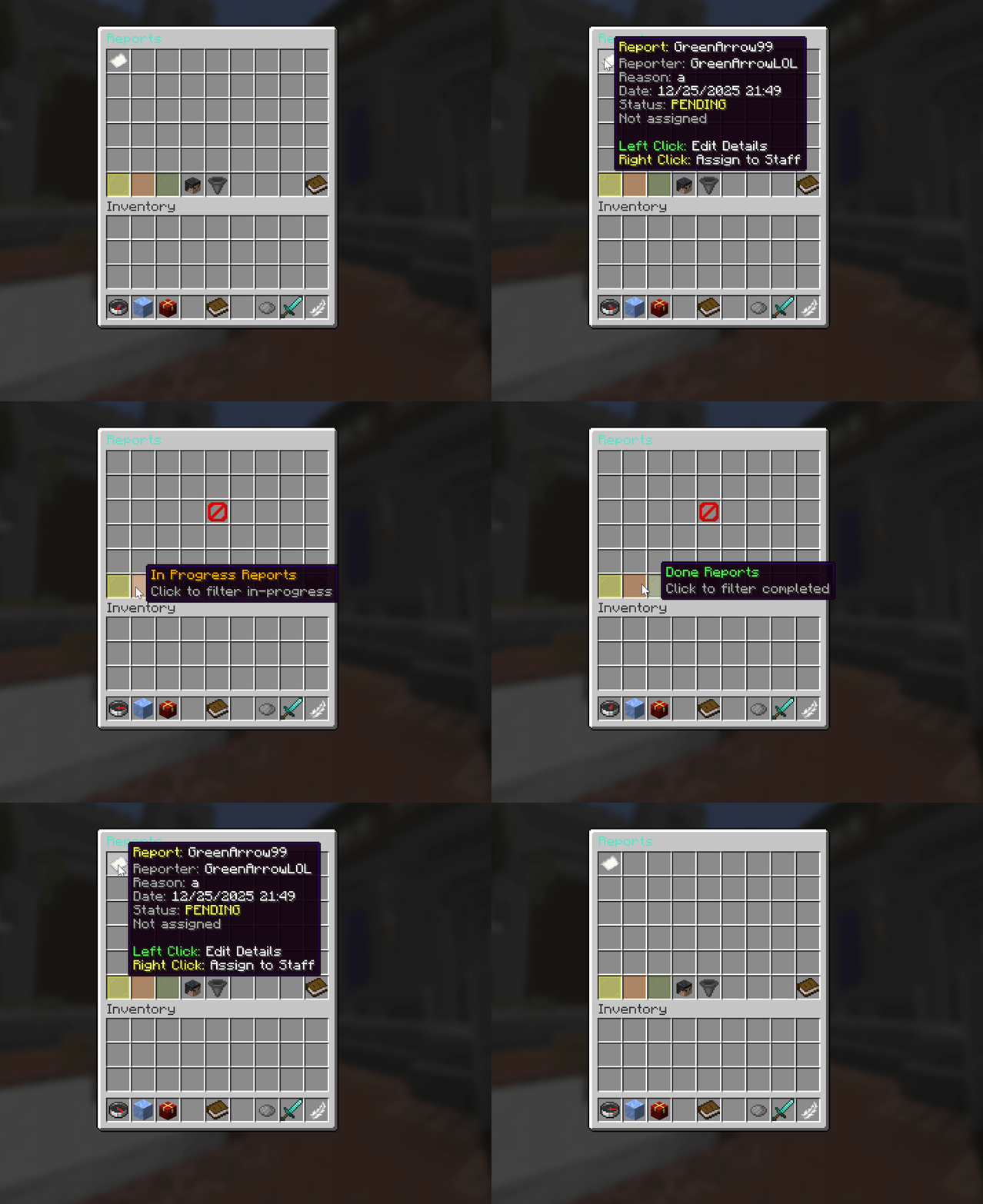 Smart filtering system with Pending, In Progress, and Done. Sort reports by status for efficient workflow! 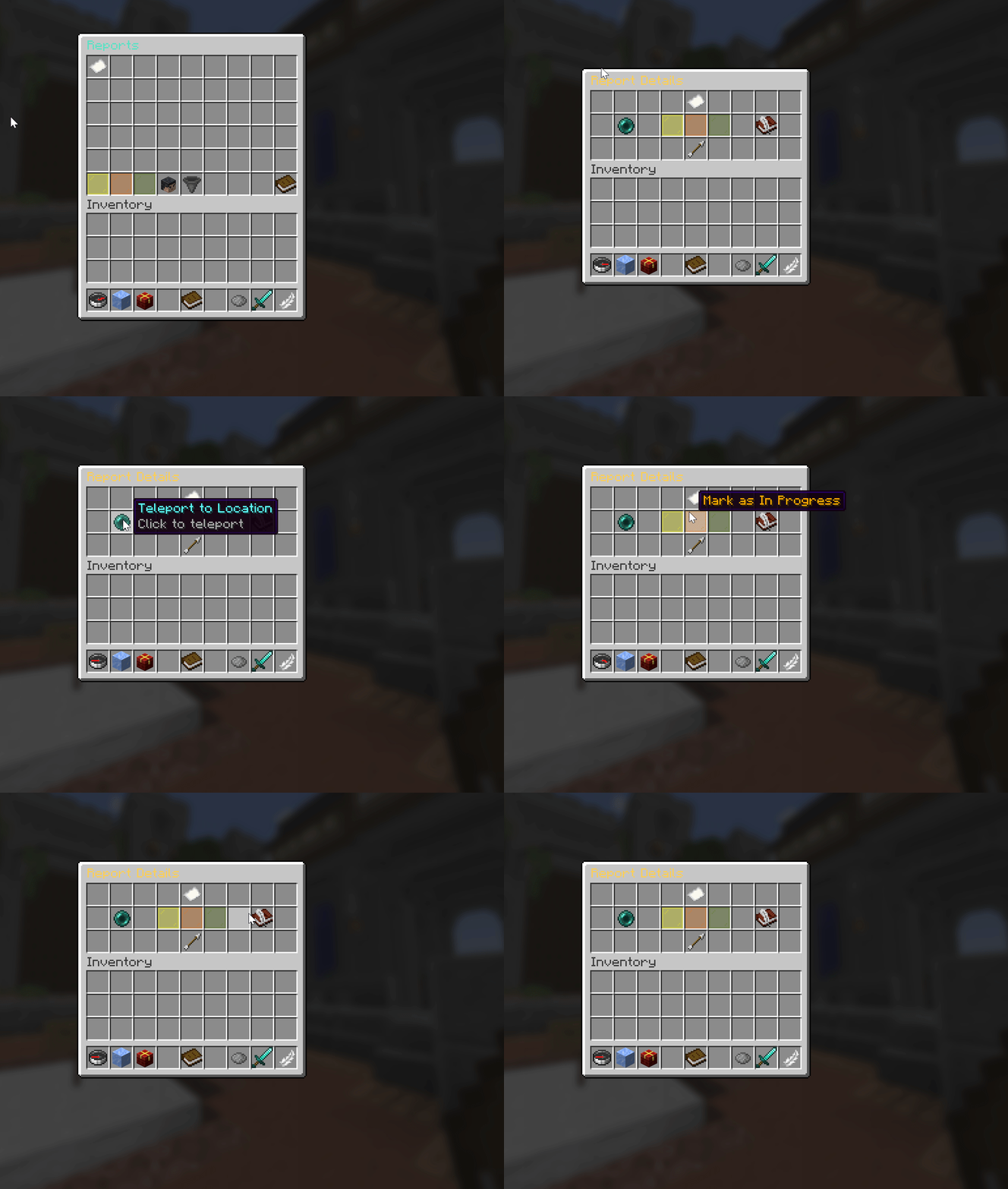 Left-click reports to edit details and status. Update report progress with detailed submenu! 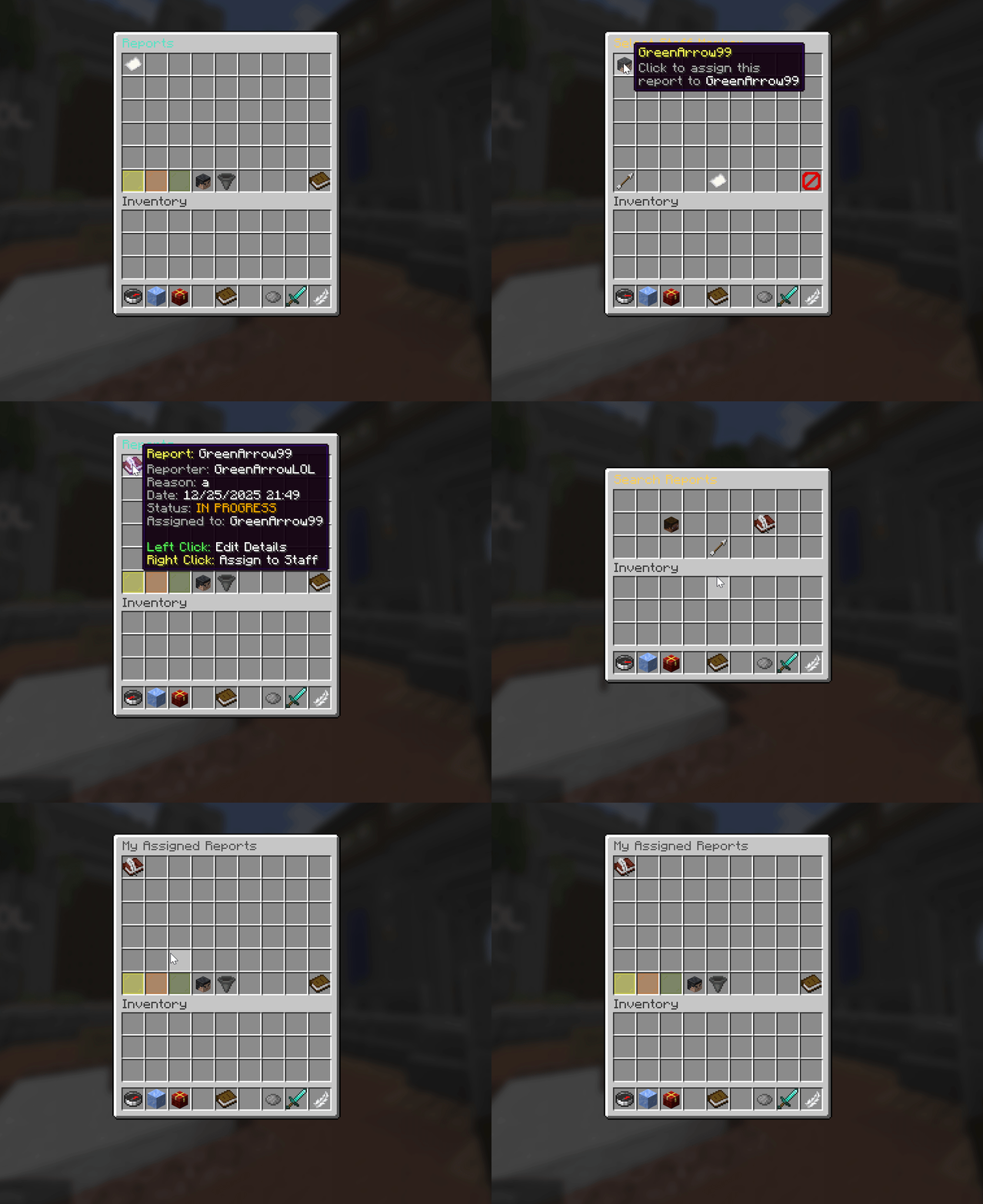 Right-click reports to assign staff members. Assigned reports show book icon for clear tracking! |

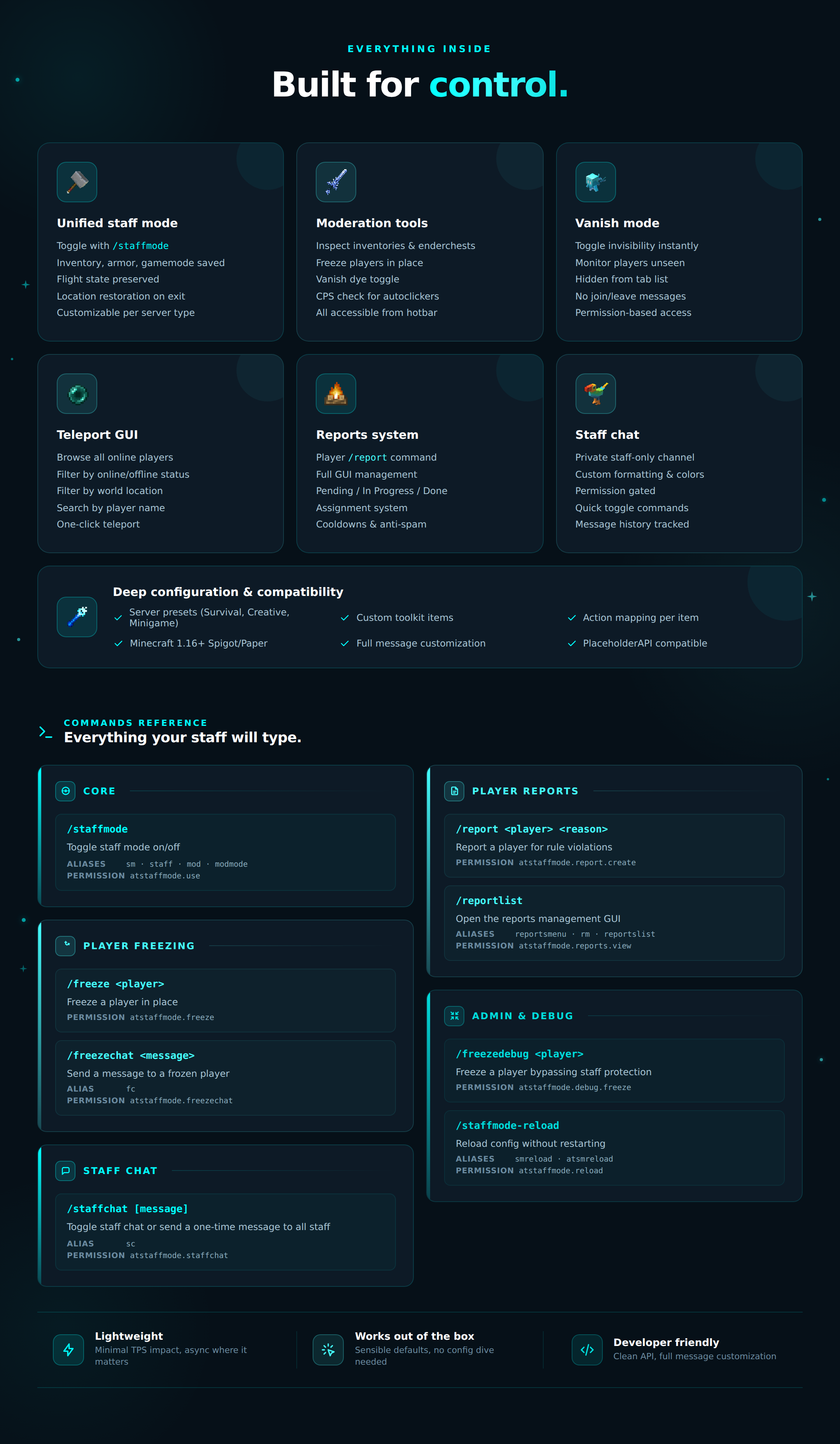
🛡️ Staff Mode🔄 Unified Toggle — Enable/disable with /staffmode command
💾 State Saving — Automatically saves inventory, armor, and gamemode
🎒 Inventory Manager — Stores current items and restores on exit
✈️ Flight Preservation — Remembers your flight state across toggles
📍 Location Tracking — Saves your position for easy restoration
🔧 Customizable Toolkit — Configure items for different server types
🛠️ Moderation Tools🧊 Freeze Tool — Freeze/unfreeze players with right-click
👁️ Vanish Dye — Toggle invisibility to monitor players
🎯 Inspect Tool — View player inventory (sneak for enderchest)
🖱️ CPS Checker — Test player clicks-per-second for autoclicker detection
🌍 Teleport GUI — Quick access to player locations
⚡ Instant Access — All tools available in your hotbar
📋 Reporting System✍️ Player Reports — Players create reports with /report
🖥️ GUI Management — Full graphical interface for handling reports
🔍 Search Function — Find reports by player name or status
👥 Assignment System — Assign reports to specific staff members
📊 Status Tracking — Pending, In Progress, and Done statuses
🚫 Anti-Spam — Cooldowns and daily limits prevent abuse
🔔 Notifications — Staff get notified of new reports instantly
💬 Staff Chat🔒 Private Channel — Dedicated chat channel for staff team only
💬 Team Communication — Coordinate actions and share information
🎨 Custom Formatting — Configurable colors and message formats
⚡ Quick Access — Simple commands for fast communication
👥 Permission-Based — Only authorized staff can view messages
📝 Message History — Track staff discussions and decisions
⚙️ Configuration🎮 Server Presets — Pre-configured for Survival, Creative, and Minigame servers
🔧 Custom Items — Define your own staff mode toolkit items
🎯 Action Mapping — Customize what each item does
📋 Report Settings — Configure cooldowns, daily limits, and notifications
🎨 Message Customization — Edit all plugin messages and colors
⏱️ Cooldown Control — Set custom delays for report submissions
🔌 Compatibility📦 Minecraft 1.16+ — Supports all modern Minecraft versions
🏗️ Platform Support — Works on Spigot, Paper, and forks
🔄 Multi-Server — Compatible with various server types
⚡ Lightweight — Minimal performance impact on server
🛠️ Easy Setup — Works out of the box with default configurations
🔧 Developer Friendly — Clean API for custom integrations
🎯 User Experience🖱️ Intuitive GUIs — User-friendly interfaces for all features
⌨️ Simple Commands — Easy-to-remember command structure
✅ Smart Validation — Prevents common mistakes and errors
💬 Clear Feedback — Informative messages for all actions
🎨 Visual Indicators — Color-coded status and permission displays
🔄 Auto-Restore — Seamless transition in and out of staff mode

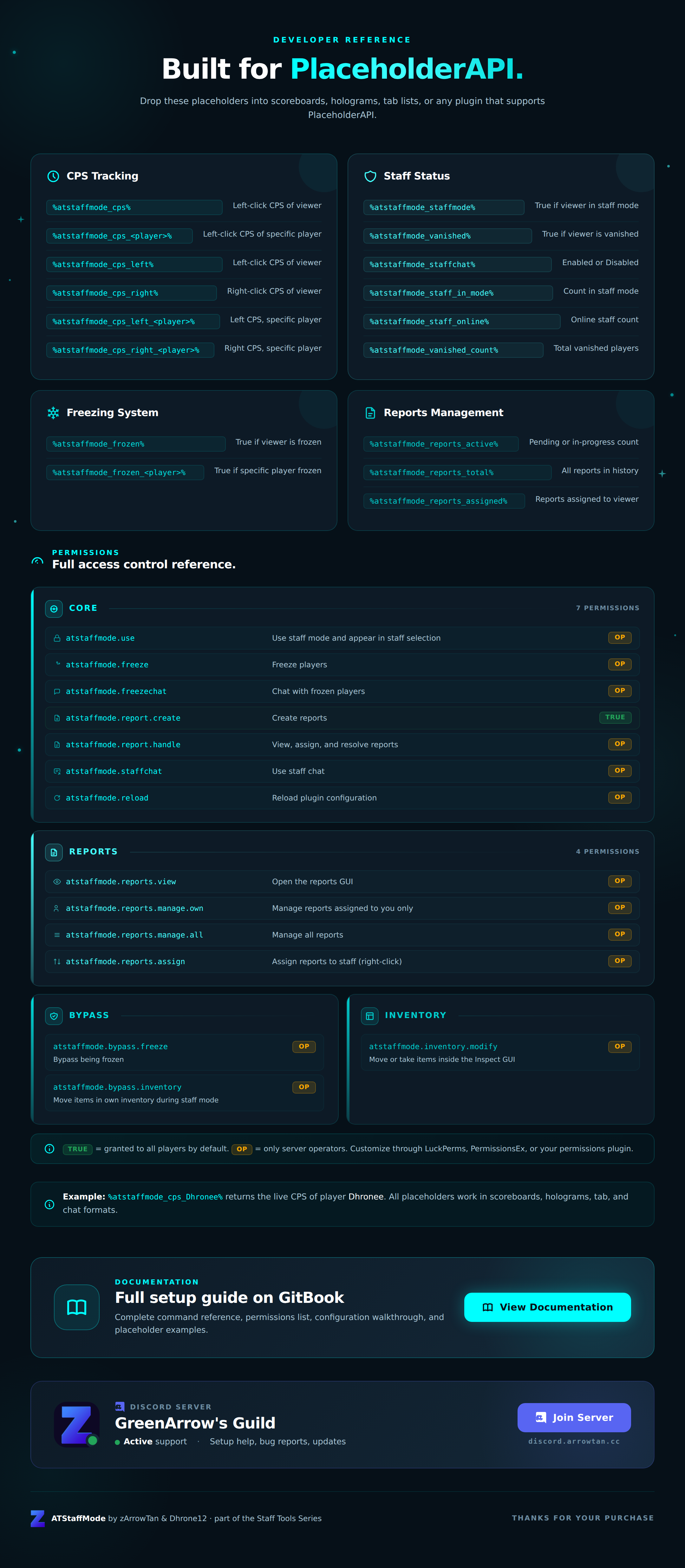
CPS Tracking
%atstaffmode_cps% — Left Click CPS of the viewer%atstaffmode_cps_<player>% — Left Click CPS of specific playerExample:
%atstaffmode_cps_Dhronee%%atstaffmode_cps_left% — Left Click CPS of the viewer%atstaffmode_cps_right% — Right Click CPS of the viewer%atstaffmode_cps_left_<player>% — Left Click CPS of specific player%atstaffmode_cps_right_<player>% — Right Click CPS of specific playerStaff Status
%atstaffmode_staffmode% — Returns True if viewer is in Staff Mode%atstaffmode_vanished% — Returns True if viewer is Vanished%atstaffmode_staffchat% — Returns Enabled or Disabled for Staff Chat status%atstaffmode_staff_in_mode% — Total count of staff currently in Staff Mode%atstaffmode_staff_online% — Total count of online staff with permission%atstaffmode_vanished_count% — Total count of vanished playersFreezing System
%atstaffmode_frozen% — Returns True if viewer is frozen%atstaffmode_frozen_<player>% — Returns True if specific player is frozenExample:
%atstaffmode_frozen_Dhronee%Reports Management
%atstaffmode_reports_active% — Count of active pending/in-progress reports%atstaffmode_reports_total% — Count of all reports in database history%atstaffmode_reports_assigned% — Count of reports assigned to viewerAll placeholders work with PlaceholderAPI for scoreboards, holograms, and more!

Need help setting up ATStaffMode Plugin?
Check out our comprehensive documentation!
Our documentation covers commands & permissions, PlaceholderAPI placeholders,
features overview, and configuration details.
Everything you need to get ATStaffMode working perfectly on your server!
📖 View Documentation
Complete command reference, permissions list, and placeholder documentation.

Thanks for choosing ATStaffMode from the Staff Tools Series!
Need help with setup? Found a bug? Have a feature request?
Join our Discord community for instant support, installation guidance,
troubleshooting, and plugin updates.
Our dedicated team is here to help your moderation system thrive!
discord.arrowtan.cc
Connect with other server owners • Report bugs • Share feedback • Get 24/7 support
Product Info
Statistics
86
Views
0
Purchases
0
Downloads
4.50 MB
File size
29.05.2026
Published
11.10.2026
Updated
Info
Server type
Supported Versions
1.16 - 26.3
Share & Earn
Share and earn part of the profits, an estimated €1.1 per product sale.
Product Image
Links

