CoreJobs | Jobs, Prestige & Farmpoints v1.5.0
Six configurable jobs with prestige, level rewards, boosts, drop tables, and a points shop.

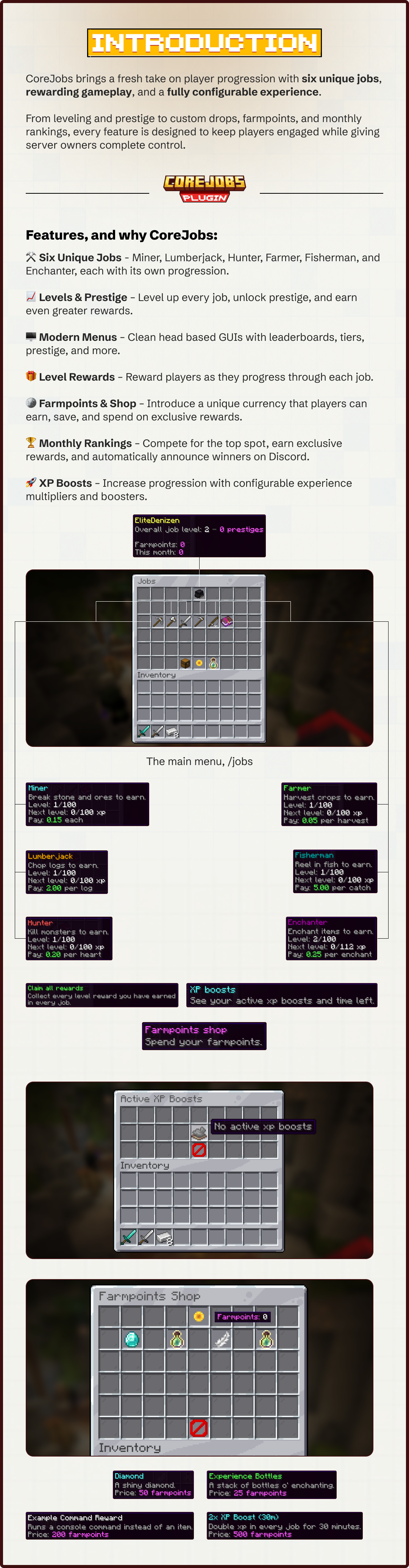

Six jobs to level 100 with prestige, level rewards, three kinds of boost, and a farmpoints shop.
By @zArrowTan, part of Arrow Plugins.
📋 Overview
CoreJobs gives your players six jobs to work through: miner, lumberjack, hunter, farmer, fisherman and enchanter. Each one has its own money formula, its own xp curve, and levels up to 100, all defined in config rather than baked into the plugin. Players open a menu, pick a job, and start earning simply by playing the way they already do.
On top of the levels sits a full progression loop. Levels hand out rewards you configure. Maxed jobs can prestige for scaled xp costs and scaled pay. Blocks can roll bonus drops or farmpoints, a virtual currency players spend in a built-in shop. Every month the top farmpoint earners are posted to your Discord and paid out. Nothing here is hardcoded, from the job list to every lore line in every menu.
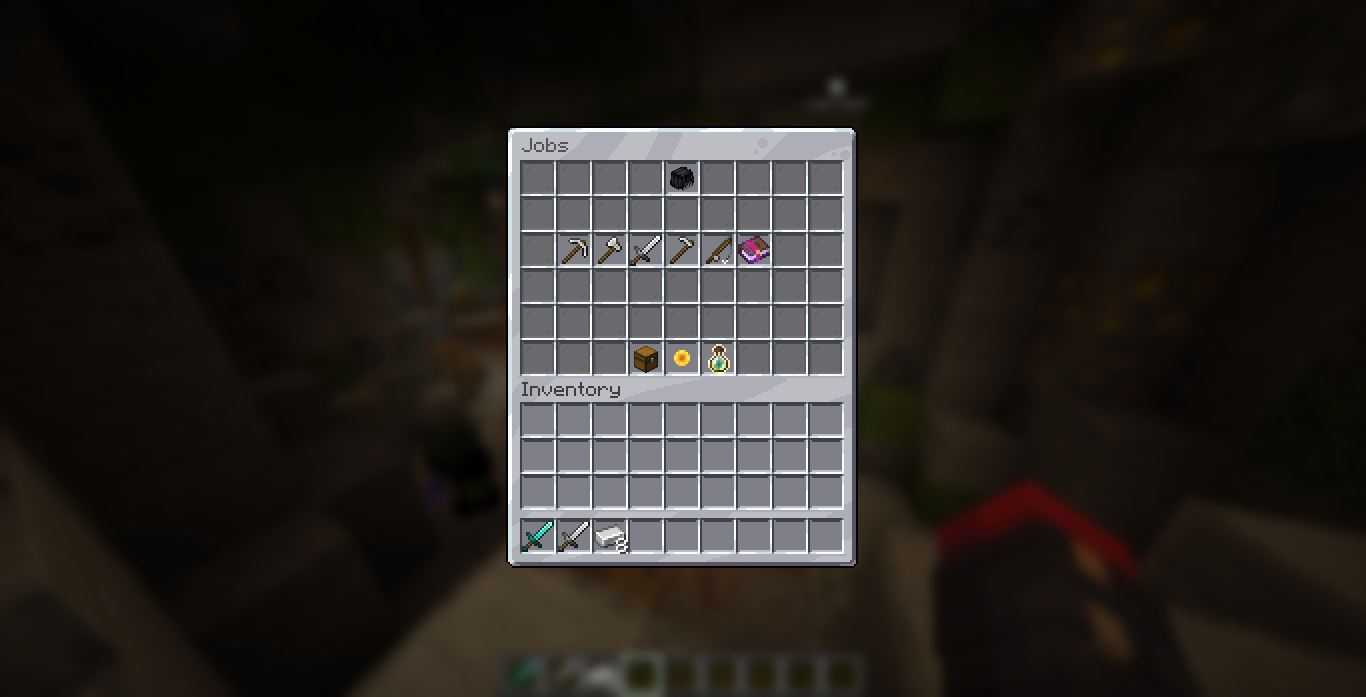
The jobs menu, one icon per job with your profile head alongside
🧩 Dependencies
No required dependencies. CoreJobs runs on its own with SQLite storage, drop it in and go. Three optional plugins each unlock more of what it can do:
- Vault (optional) plus an economy plugin enables money payouts. Without it, jobs still award xp and farmpoints and the plugin logs a single console warning. Get it here
- PlaceholderAPI (optional) exposes levels, prestiges, farmpoints, active boosts and every leaderboard as placeholders for scoreboards, tab and holograms. Get it here
- ItemsAdder (optional) lets any menu item, shop entry or reward use a namespaced custom item instead of a vanilla material. Get it here
👷 Six Jobs
- Miner and Lumberjack earn from breaking blocks
- Hunter earns from kills, with an optional per-heart multiplier
- Farmer earns from crops and plants, including right-click harvesting
- Fisherman earns from fishing
- Enchanter earns from enchanting
Every job is data-driven from jobs.yml. Each carries its own trigger, money formula (a base plus a per-level bonus, with an optional per-block divisor), xp curve, and max level. Individual blocks can override both xp and money, so a chorus flower can be worth more than a stem within the same job.
⭐ Prestige
A job at max level can prestige: the level resets to 1, the prestige counter goes up, and both the xp needed per level and the money paid scale upward. Requirements are yours to set, any mix of max level, money, vanilla experience levels and farmpoints, each growing with every prestige already earned. You choose per requirement whether meeting it also spends it.
- Defaults apply to all six jobs, and any job can override just the parts it changes
- The prestige button lists every requirement with a tick or a cross, and shows what the next prestige changes as percentages
- Prestige shows on the main
/jobspage too, under the job icon: the level reached and what it gives in pay, farmpoints, drop chance and xp per level - Players get a chat nudge when a job hits max level
- Announce it as a server broadcast, to the player only, or not at all
- Prestige can scale farmpoint gains and drop chances too, off by default
- Prestige can be turned off per job, with the button hidden or greyed out as you prefer
🎁 Level Rewards
Hand out items, console commands, or both at whichever levels you choose, per job. Rewards are sparse, so only the levels you list give anything, and each can carry its own icon in the menu.
Players claim rewards from the rewards page, with a Claim All button per job and one on the main menu for everything at once. The claim message itemises what landed: a header with the count, then a line per reward naming the job, the level and the items. You can switch that back to a plain one-line count, or cap how many lines show before the rest fold into an "and more" line.
⚡ Three Kinds of Boost
Boosts come in xp, money and farmpoints, and one of each can run at the same time. Each can apply to one player or the whole server, and to one job or all of them. Grant them by command or sell them in the shop.
Boosts wait their turn. Two boosts of the same kind no longer run side by side and waste each other. The stronger one counts down while the weaker one freezes with its full time saved, and starts the moment the stronger one ends.
- A waiting boost has its own item in the menu, with the time it has saved and a line saying when it starts
- Buying the same boost twice adds the time onto the one you already have
- Server downtime costs nothing. Stop the server for an hour and a boost comes back with the same time left
- The boosts menu counts down while you watch it, no closing and reopening
- Configurable throughout: whether weaker boosts queue, whether buying the same one extends it, and whether overlapping boosts take the highest, add, or multiply
Boosts can arrive as an item. Instead of starting the moment it is bought, a boost can be handed over as an item players can save, trade, or hold for a busy evening. Right click it in the air and it starts. Turn it on globally or per shop entry.
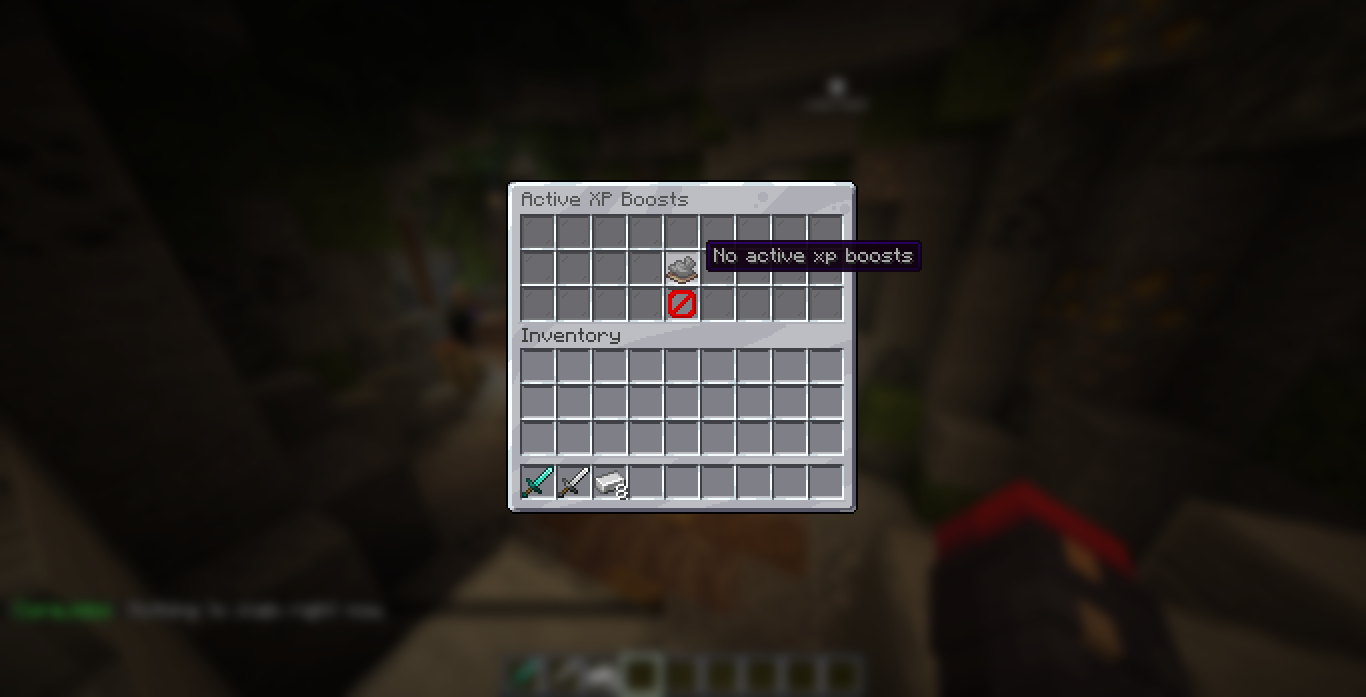
The active boosts menu, each multiplier with the job it targets and the time left
🎲 Bonus Drops
Per-material drop tables roll a percent chance on every qualifying block. A roll can give items, run commands, award farmpoints, or do nothing at all, each on its own chance. Set them up per block in drops.yml, as generous or as rare as your server needs.
💰 Farmpoints & Shop
Farmpoints are a second, virtual currency that works whether or not you run an economy plugin. Players earn them from drops and spend them in a built-in shop on items, command rewards, or boosts, with inventory space checked before anything is charged. Every shop entry is configurable, including its name and lore.
Build the shop from in game. Create a boost entry, sell the item in your hand, or take an entry out, all without touching shop.yml, and the shop updates immediately.
- A bundled entry you remove stays removed, rather than coming back on the next start
- The console names exactly what is wrong with a broken entry: a missing boost block, a duration of zero, a multiplier of 1, an unknown job, a slot outside the menu, or two entries on the same slot
- A broken boost entry is kept out of the shop entirely, instead of taking farmpoints and granting nothing
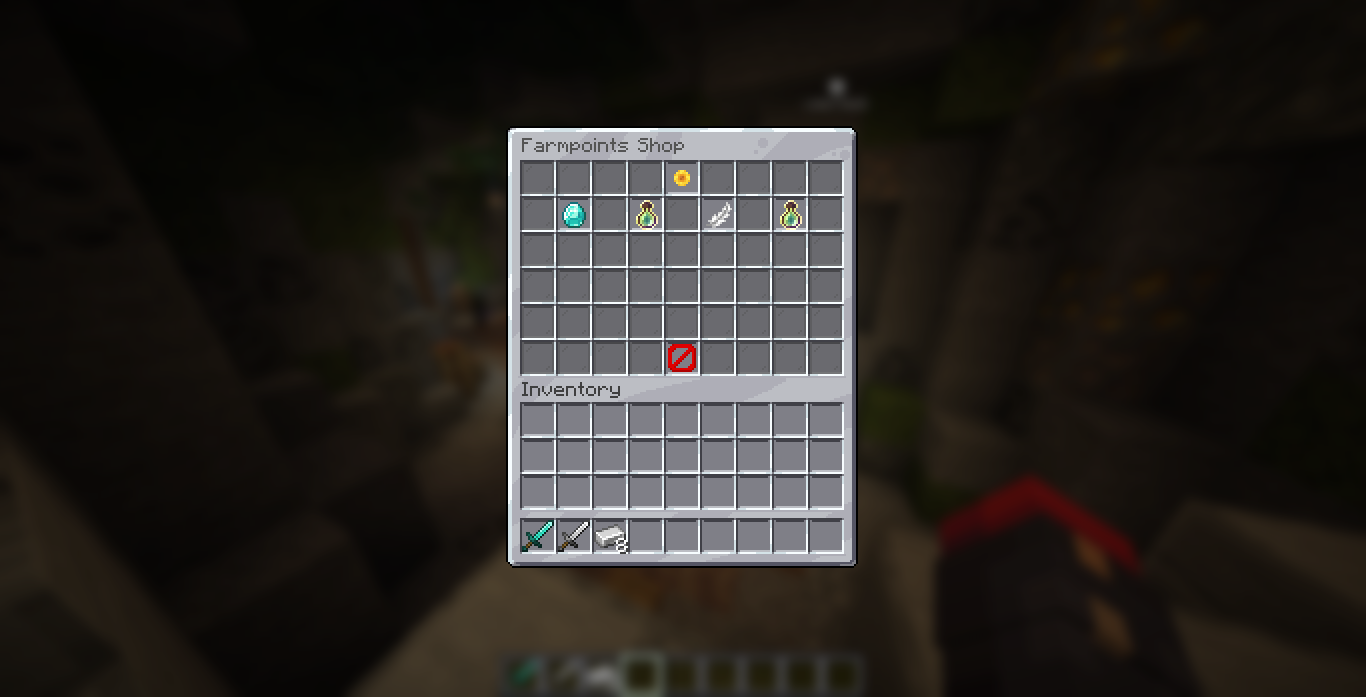
The farmpoints shop, every entry configurable including its name and lore
🏆 Monthly Ranking
Earning farmpoints also feeds a separate monthly ranking score. When the calendar month turns over, in the timezone you configure, CoreJobs posts the top list to your Discord webhook, stages a reward for each top player, and resets the ranking scores. Player balances are never touched, only the ranking.
- Top players are shown as heads in an in-game menu, with last month's board alongside this month's
- Winners claim their reward with a button that names the rank they achieved
- Last month's line stays hidden until a month has actually rolled over
- An admin command forces the reset early if you need it
🌱 Fair Block Handling
- Multi-stage plants pay for the whole stack. Sugar cane, cactus, bamboo, kelp, chorus and vines all break as a group, and CoreJobs counts every block that came down, each priced on its own weight
- Right-click harvesting. Sweet berry bushes and cave vines award xp when picked ripe, without breaking the plant
- No place-and-break farming. Hand-placed blocks are tracked, so breaking one back pays nothing on any job. Blocks that grew on top of a placed base still pay in full
- Crops must be mature before they pay
- One clean payout per break, so a mixed break shows a single action bar with the full amount rather than several competing lines
🖥 Menus You Control/jobs opens a grid with one icon per job and a profile head showing overall level, total prestiges, farmpoints, and this month's and last month's ranking scores. Clicking a job opens its hub: a top nine leaderboard for that job, a how-to-earn item, a progress item, and a link to its rewards page. The rewards page pages through every level, lime for passed, yellow for current, red for locked.
- Every slot, material, amount, name and lore line is a config key
- Items can use a vanilla material with CustomModelData, an ItemsAdder id, or a base64 head texture
- The how-to-earn text is yours, per job in
jobs.ymlor for every job at once inmenus.yml - Menus are native Bukkit inventories, click-locked so nothing can be pulled out
- Vanilla tooltip noise is hidden, so no stray attribute text on your icons
- Open menus rebuild and reopen on the same job and page after a reload, instead of leaving players on a stale layout
📢 The Action Bar
Every payout writes a line to the player's action bar, carrying the job, the xp gained, the xp to the next level, the money paid, a progress bar, the block or mob it came from, and any farmpoints it dropped. Edit job.xp-actionbar in your language file to drop anything you do not want.
It names what actually happened. A break reads the block, a kill reads the mob, a catch reads the fish or the treasure, and an enchant reads the item enchanted.
Other plugins' placeholders work in it, so a collection counter or anything else can sit on the end. Raw ids are available too, {block_id} and {job_id}, and both are filled in before PlaceholderAPI runs, so you can build another plugin's placeholder out of whatever was just broken.
🌍 Three Languages Built In
English, French and Spanish ship complete and checked for parity, 214 keys each. Every player-facing string lives in a language file, including job names and descriptions and the text inside menus, so nothing is stranded in English. Add your own language file for anything else.
A styles file defines paired tags such as <info> and <warning>, so you set your colour scheme once instead of repeating codes across hundreds of messages.
🔗 Placeholders
Requires PlaceholderAPI. Leaderboards are rebuilt on a timer in the background, so placeholders never query the database while players are moving.
%corejobs_top_<job>_<n>_name%      %corejobs_top_<job>_<n>_level%
%corejobs_topall_<n>_name%         %corejobs_topall_<n>_level%
%corejobs_topfarmpoints_<n>_name%  %corejobs_topfarmpoints_<n>_points%
%corejobs_toplastmonth_<n>_name%   %corejobs_toplastmonth_<n>_points%
%corejobs_overall_level%
Boosts have their own set, per kind, so an active boost can sit on your scoreboard:
%corejobs_boost_<type>_active%   %corejobs_boost_<type>_amount%   %corejobs_boost_<type>_time%
%corejobs_total_<type>_multiplier%     %corejobs_total_<type>_amount%     %corejobs_total_<type>_source%
%corejobs_external_<type>_multiplier%  %corejobs_external_<type>_amount%  %corejobs_external_<type>_source%
boost is what the player bought, external is what other plugins are giving them, and total is everything together, including a line naming every source. Each takes an optional job.
There are monthly ranking placeholders in the same shape, plus the viewer's own farmpoints, month totals, prestige count, and per-job level, prestige, xp and pay.
If a placeholder from another plugin ever shows up as raw text, /corejobs papi <text> tells you why: what you wrote, what PlaceholderAPI filled in, and whether that expansion is registered at all.
🔌 A Developer API
CoreJobs fires a cancellable event before every payout, so another plugin on your server can multiply, replace or cancel what a player earns. That is what lets a rank, an armour set, a pet or a crystal carry its own job bonus, or a region cancel payouts entirely.
Outside bonuses stack on top of a running CoreJobs boost rather than replacing it, and a plugin granting one can report it, so it shows in the boosts menu and in the placeholders above with the plugin named. A server with nothing listening sees no difference at all.
⌨️ Commands
For everyone
/jobsopen the jobs menu/farmpoints balancecheck your farmpoints/farmpoints shopopen the farmpoints shop/farmpoints rankingview the monthly ranking and claim rank rewards
For staff
/corejobs reloadreload the configuration/corejobs farmpoints <give|take|set> <player> <amount>adjust a balance/corejobs job <setlevel|addlevel|addxp|setxp> <player> <job> <amount>adjust progress/corejobs job setprestige <player> <job> <n>set a prestige count/corejobs boost <player|global> [xp|money|farmpoints] <job|all> <multiplier> <seconds>start a boost/corejobs boost item <player> <job|all> <multiplier> <seconds> [amount]hand out boost items/corejobs shop <boost|add|remove|list>build and edit the shop from in game/corejobs papi <text>work out why a placeholder is not resolving/corejobs resetranking confirmforce the monthly reset early
Tab completion throughout.
💾 Storage & Performance
- SQLite by default, no setup at all. Switch to MySQL with one config change
- All database work runs off the main thread, on a single background worker
- Player data is cached in memory, loaded before login, saved on quit, autosaved every five minutes, and flushed on shutdown
- Leaderboards are cached and rebuilt on a timer, not queried when a menu opens, and a level up shows within seconds
⚙️ Config That Keeps Your Work
Every file is versioned and updated in place. When you install a new build, new keys and their comments merge into your files while your own jobs, shop items, drop tables and edits stay exactly as you left them. Every key carries a comment explaining what it does.
There is also optional auto-reload: save a file and CoreJobs picks it up, no command needed. Turn it off if you would rather reload by hand.
🧪 Requirements
- Minecraft: 1.18 and newer
- Server software: Spigot or Paper
- Java: 17 or higher
- Storage: SQLite out of the box, MySQL optional
- Dependencies: none required (see Dependencies above for the optional ones)
💬 Support & Docs
Full setup and configuration guides are in the documentation, including the developer API. Have questions, found a bug, or want to suggest a feature? Join the Discord for updates, help, and support.
Statistics
Views
Purchases
Downloads
File size
Published
Updated
Info
Share & Earn
Share and earn part of the profits, an estimated €0.8 per product sale.
Product Image

Links