Custom Hopper | Next Gen Collection 2.1.6
Create fully customizable hoppers that automatically collect and filter items within a chunk.

Take your server automation to the next level. 🚀
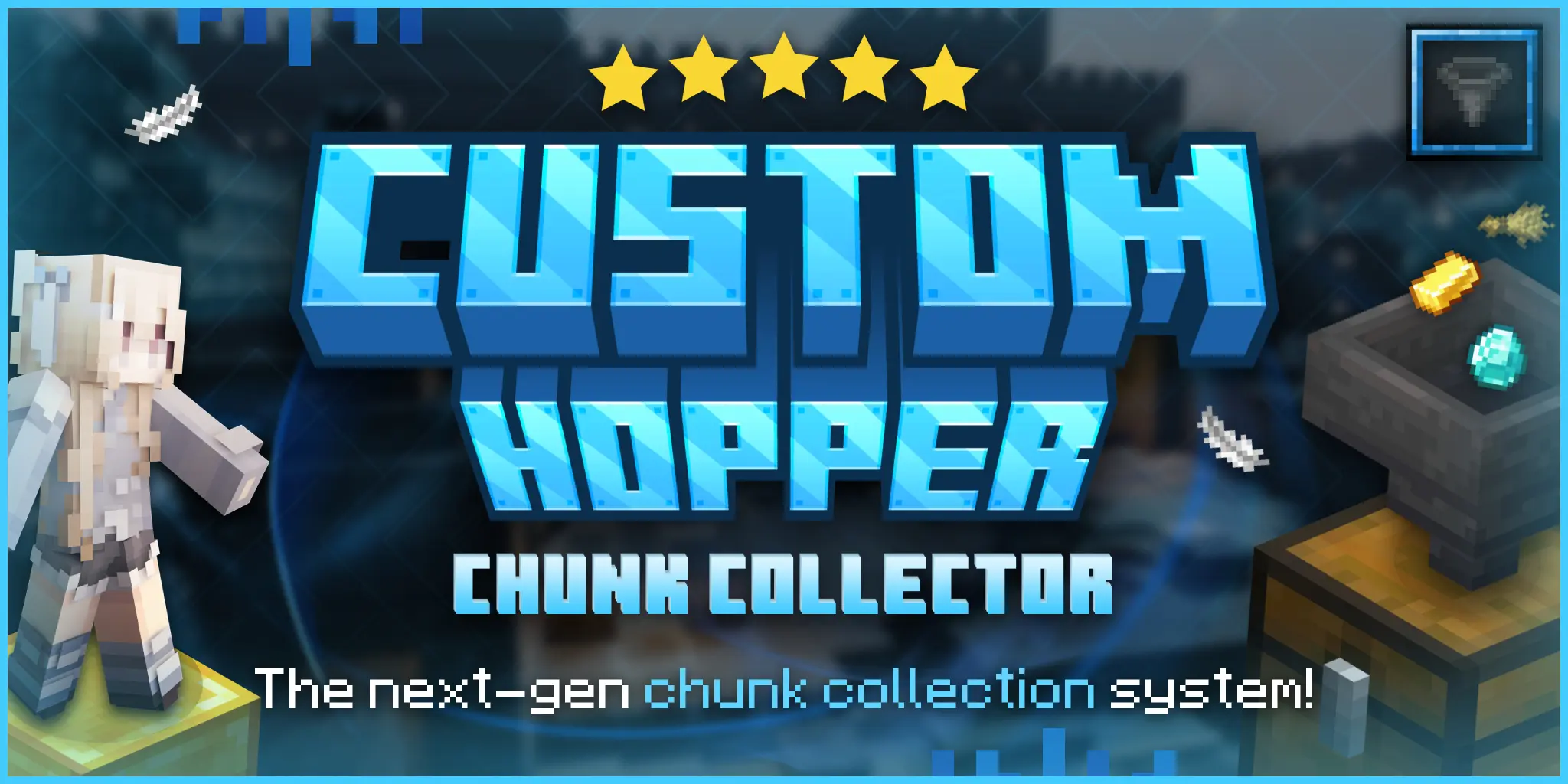
This plugin adds powerful chunk-based hoppers that automatically collect items across an entire chunk, perfect for OP Prison, Skyblock, and SMP servers looking to boost efficiency and reduce lag.
No more manual collection. No more messy systems.
JAVA 17 REQUIRED OR HIGHER
💡 Why servers use this:
- 💰 Increase player progression speed with automated collection
- ⚡ Reduce lag by minimizing dropped items
- 🧠 Simplify farm setups with smart filtering
- 🔧 Fully customizable for any server economy or gameplay
✅ What makes this different?
Unlike basic hoppers, this system gives you full control over how items are collected, filtered, and managed, making it ideal for high-performance and large-scale servers.
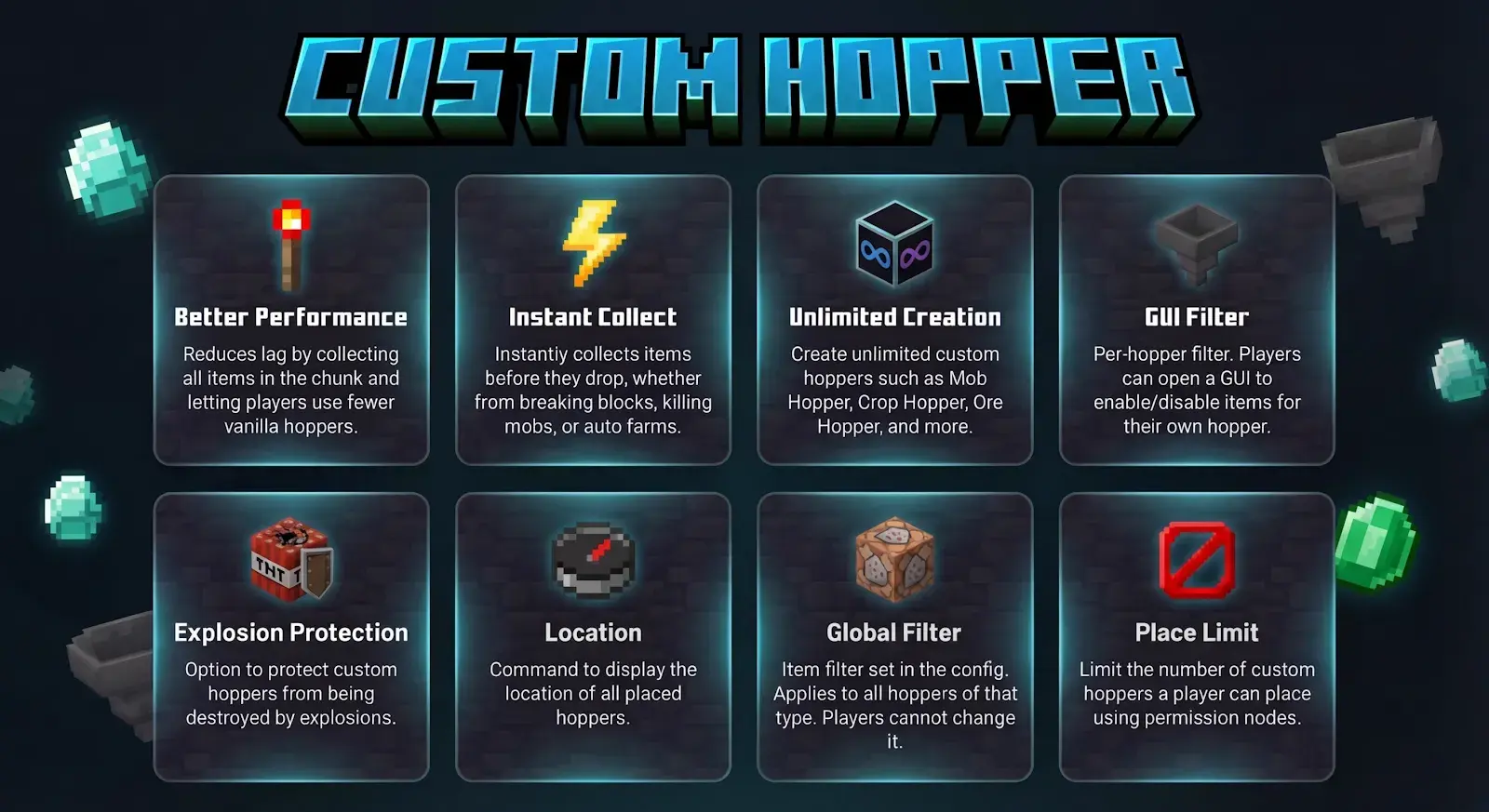

Normal Collect makes custom hoppers collect items from the chunk at a configurable interval that you choose.


Instant Collect makes custom hoppers collect items from the chunk instantly without any waiting time. It is recommended for large servers or any server that wants to maintain stable TPS and reduce lag.





Filter GUI is a menu that allows players to enable or disable the collection of items listed in the hopper configuration.

Links is a feature that transfers items wirelessly to multiple chests over long distances.
You can also create, remove, and teleport to links!


Config.yml
#   ██████╗██╗   ██╗███████╗████████╗ ██████╗ ███╗   ███╗    ██╗  ██╗ ██████╗ ██████╗ ██████╗ ███████╗██████╗ ███████╗
#  ██╔════╝██║   ██║██╔════╝╚══██╔══╝██╔═══██╗████╗ ████║    ██║  ██║██╔═══██╗██╔══██╗██╔══██╗██╔════╝██╔══██╗██╔════╝
#  ██║     ██║   ██║███████╗   ██║   ██║   ██║██╔████╔██║    ███████║██║   ██║██████╔╝██████╔╝█████╗  ██████╔╝███████╗
#  ██║     ██║   ██║╚════██║   ██║   ██║   ██║██║╚██╔╝██║    ██╔══██║██║   ██║██╔═══╝ ██╔═══╝ ██╔══╝  ██╔══██╗╚════██║
#  ╚██████╗╚██████╔╝███████║   ██║   ╚██████╔╝██║ ╚═╝ ██║    ██║  ██║╚██████╔╝██║     ██║     ███████╗██║  ██║███████║
#   ╚═════╝ ╚═════╝ ╚══════╝   ╚═╝    ╚═════╝ ╚═╝     ╚═╝    ╚═╝  ╚═╝ ╚═════╝ ╚═╝     ╚═╝     ╚══════╝╚═╝  ╚═╝╚══════╝
#                                              Coded by AlFr3on
#                                    https://discord.com/invite/C7gANcf7zY


# Choose the default language for the plugin messages.
# Make sure the language file exists in the "langs" folder.
# Supported languages: english, french, russian, spanish, german, turkish, dutch
# Example: language: english
language: english

# Interval (in seconds) between each hopper processing cycle.
# This determines how often each custom hopper will try to collect items
# from its chunk (not just nearby blocks like vanilla hoppers).
# WARNING: Lower values make hoppers more responsive but can increase server load, especially with many hoppers.
hopper-check-interval: 5

#   When enabled (true), items dropped by players, mob deaths, or block breaking (e.g., mining)
#   are instantly collected by the nearest custom hopper in the same chunk.
#   - The hopper respects its configured filter list and transfer amount.
#   - If disabled (false), items remain on the ground until collected by periodic checks
#     (controlled by hopper-check-interval).
instant-collect: false[/SIZE]

# Minimum distance (in blocks) required between Custom Hoppers.
# Set to 0 to disable this feature.
hopper-placement-distance: 3

[SIZE=4]# If set to true, players can only place ONE custom hopper of the same type in a single chunk.
# Example:
#   - If a player places a "Mob Hopper" in a chunk, they cannot place another "Mob Hopper" in that same chunk.
#   - But they can still place different hopper types in the same chunk (e.g., a "Mob Hopper" + a "Crop Hopper").
# If set to false, there will be no restriction and players can place unlimited hoppers of the same type in one chunk.
LimitOneTypePerChunk: false[/SIZE]

# Maximum TOTAL custom hoppers (all types combined) that can exist in a single chunk.
# Set to -1 for unlimited.
# Example: if set to 2, a chunk can hold any two custom hoppers (even different types).
Max-Hoppers-Per-Chunk: 10
[SIZE=4]
# The number of custom hoppers a player can place if they have the 'customhopper.place' permission but no specific limit
# (like 'customhopper.place.20'). Players with 'customhopper.place.unlimited' can place unlimited hoppers, ignoring this.
# Set to 0 to block placement unless a specific limit is given.
Default-Hopper-Limit: 5

# If true, craft vanilla hoppers will be enabled
# if false, players will not be able to craft vanilla hoppers, but they can still obtain them through creative mode or commands.
craft-vanilla-hopper: true

# How to open the main menu for a placed custom hopper.
# Allowed values:
#   "SHIFT + RIGHT CLICK"  - hold shift and right-click the hopper (default)
#   "SHIFT + LEFT CLICK"   - hold shift and left-click the hopper
#   "LEFT CLICK"           - left-click the hopper (will cancel the break)
#   "RIGHT CLICK"          - right-click the hopper
#   "NONE"                 - never open the menu via clicking
main-menu: "SHIFT + RIGHT CLICK"

# Enables the Filter GUI feature for custom hoppers.
# When set to true, players can toggle item collection
# on/off from the hopper’s filter menu by clicking the filter item inside the main menu.
filter-gui: true

# If true, custom hoppers will be protected from explosions.
protect-custom-hoppers: true

# Sends the custom hopper item directly to the player's inventory when broken,
# instead of dropping it on the ground.
Direct-Break-To-Inventory: true

# When true, players must use a tool with the Silk Touch enchantment to break custom hoppers.
# If false (default), any permitted tool can break custom hoppers as normal.
silk-touch-required: false

# Supported stack providers: "Vanilla" or "RoseStacker" or "WildStacker"
# Determines how item stacking is handled by hoppers.
Stack-Provider: "Vanilla"

# Supported hologram providers: "NONE" or "DecentHolograms"
# Determines how holograms above hoppers are displayed.
# If "NONE", no holograms will be shown.
Hologram-Provider: "NONE"

#  Configure title messages that appear when players
#  place or break a Custom Hopper.
#
#  Placeholders:
#    %hopper_type% - Displays the name of the hopper type.
#
#  Each section allows you to toggle it on/off, customize
#  the main title, subtitle, and animation timing.
Title:
OnBreak:
enable: true
text: "&e&l%hopper_type% "
    subtitle: "&7Hopper Successfully deleted!"
    fade-in: 10
stay: 70
fade-out: 20
OnPlace:
enable: true
text: "&e&l%hopper_type% "
    subtitle: "&7Hopper successfully created!"
    fade-in: 10
stay: 70
fade-out: 20
# Sound played when placing a custom hopper.
# Use any valid sound name from the current Minecraft version.
# Set to "" to disable the sound entirely.
Sounds:
Place:
sound: "BLOCK_NOTE_BLOCK_PLING"
    volume: 1.0
pitch: 1.0
Break:
sound: "ENTITY_ITEM_BREAK"
    volume: 1.0
pitch: 1.0
MainMenu-Open:
sound: "CHEST_OPEN"
    volume: 1.0
pitch: 1.0

# Enable debug mode to log additional plugin information for troubleshooting.
debug: false
MobHopper.yml
# The name shown on the item when given to players
display-name: "&3&lMobDrops Hopper"

# The title shown when the hopper inventory is opened
inventory-title: "&3&lMobDrops Hopper"

lore:
- "&7Place the hopper down for"
  - "&7automatically collecting MobDrops"
  - "&r"
  - "&3&lHopper Info:"
  - "&fRadius: &31 Chunk"
  - "&fType: %type%"
  - ""


hologram:
# If true, a hologram will be displayed above the hopper showing the hopper type.
  enabled: true
# The vertical distance of the hologram above the hopper.
  hieght: 1.5
# The text format of the hologram. %type% will be replaced with the hopper type.
  texts:
  - "&e&l%type%"
  - ""
  - "&eOwner: &f%owner%"
  - "&eLinked Containers: &a%link_count%&7/&c%max_links%"
  - "&3Max Link Distance: &a%max_link_distance% blocks"
  - ""
  - "&7Right-Click to open"


  # --- FancyHolograms-only options (ignored by DecentHolograms) ---
  # Maximum distance (in blocks) at which the hologram is visible to players.
  view_distance: 32
  # Shadow radius of the hologram display entity. Set to 0.0 to disable shadow.
  shadow_radius: 0.0
  # Shadow strength of the hologram display entity. Set to 0.0 for no shadow.
  shadow_strength: 0.0
  # Scale multiplier for the hologram display entity.
  scale: 1.0
  # Whether the hologram text has a shadow effect.
  text_shadow: true
  # Background color of the hologram in hex format (#RRGGBB or #AARRGGBB), or "transparent" for no background.
  background: ""
  # Whether the background is see-through (transparent to blocks behind it).
  see_through: false

# When true, items that are enabled for collection will have a glowing effect in the filter menu, making them easier to identify.
glow-enabled-items: true
glow-disabled-items: false
# Speed up the transfer by increasing the amount of items moved every 3 seconds.
# To disable this feature, set it to 0.
transfer-amount: 5

Links:
  # How many links can the player create for one hopper?
  # A player can link his hopper to other containers by open the hopper menu and then clicking the link item.
  Link-amount: 3
  # Maximum distance between a hopper and the link destination.
  Link-max-distance: 100
  # How many items should be transferred at one transfer?
  Link-transfer-amount: 5
  # Allows players to teleport to linked containers from the links menu.
  # If disabled, the link item will only display linked container information.
  # Players with "customhopper.link.teleport" can still teleport even if disabled.
  Link-teleport: true

# Here, you can specify all the items you want the hopper to collect.
# Any other items will be ignored.
# To add ExecutableItems to the filter, use the format: "EI:ITEM_ID" -> for example: "EI:blue_gems".
#
# ── Item Requirements ────────────────────────────────────────────────────────
# You can add requirements to any non-EI item using square brackets after the
# material name.  Multiple requirements are separated by commas.
#
# Supported requirements:
#   IGNOREMETA:true          — collect any item of this type, regardless of name/lore
#   NAME:<text>              — item display name must contain <text>  (case-insensitive)
#   LORE:<text>              — item lore must contain a line with <text> (case-insensitive)
#   ENCHANTED:true           — item must have at least one enchantment
#   CUSTOM_MODEL_<n>    — item must have this exact custom model data value
#
# Examples:
#   PLAYER_HEAD[IGNOREMETA:true]                    — any player head
#   DIAMOND_SWORD[ENCHANTED:true]                   — only enchanted diamond swords
#   DIAMOND_SWORD[ENCHANTED:true,NAME:Excalibur]    — enchanted sword named "Excalibur"
#   PAPER[CUSTOM_MODEL_1001]                   — paper with custom model data 1001
#   IRON_SWORD[LORE:Tier 5]                         — sword whose lore contains "Tier 5"
# ─────────────────────────────────────────────────────────────────────────────

filter:
  - PLAYER_HEAD[IGNOREMETA:true]
  - ROTTEN_FLESH
  - BONE
  - ARROW
  - STRING
  - SPIDER_EYE
  - GUNPOWDER
  - ENDER_PEARL
  - BLAZE_ROD
  - GHAST_TEAR
  - SLIME_BALL
  - MAGMA_CREAM
  - PRISMARINE_SHARD
  - PRISMARINE_CRYSTALS
  - SHULKER_SHELL
  - PHANTOM_MEMBRANE
  - WITHER_SKELETON_SKULL
  - NETHER_STAR
  - IRON_INGOT
  - GOLD_INGOT
  - COPPER_INGOT
  - EMERALD
  - TOTEM_OF_UNDYING
  - RABBIT_HIDE
  - RABBIT_FOOT
  - LEATHER
  - BEEF
  - PORKCHOP
  - CHICKEN
  - MUTTON
  - FEATHER
  - INK_SAC
  - GLOW_INK_SAC
  - SPONGE
  - TROPICAL_FISH
  - COD
  - SALMON
  - PUFFERFISH
[SIZE=4]
Filter_GUI.yml
title: '%hopper_displayname% &8Filter'

pattern:
  - '~ ~ ~ ~ ~ ~ ~ ~ ~'
  - '~ # # # # # # # ~'
  - '~ # # # # # # # ~'
  - '~ # # # # # # # ~'
  - '~ # # # # # # # ~'
  - 'x ~ ! ~ - ~ + ~ ~'
filter-items-slots: '#'
previous-page: '!'
current-page: '-'
next-page: '+'
close: 'x'

items:
  '#':
    name: '&a%item%'
    lore:
      - '&7Status: %toggle_filter%'
    - '{REQUIREMENTS}'
    - ''
    - '&eClick to toggle filter'
  '!':
    type: ARROW
    name: '&cPrevious Page'
  '-':
    type: BOOK
    name: '&aCurrent Page'
    lore:
      - '&7Page %page%'
  '+':
    type: ARROW
    name: '&aNext Page'
  '~':
    type: BLACK_STAINED_GLASS_PANE
    name: '&f'
  'x':
    type: Barrier
    name: '&cClose'
/customhopper give [amount] - Give a custom hopper
/customhopper reload - Reload the plugin configuration
/customhopper help - Show this help menu
/customhopper locations - Show your custom hoppers location
/customhopper admin location - Show the custom hoppers location of the selected player
🔑 Permissions 🔑
customhopper.admin - Grants access to all CustomHopper admin commands
customhopper.locations - Allows players to view their own placed hopper locations
customhopper.admin.locations - Allows viewing the placed hopper locations of other players
customhopper.place - Allows players to place custom hoppers, limited by the Default-Hopper-Limit in config.yml
customhopper.break - Allows players to break custom hoppers.
customhopper.place.unlimited - Permits players to place an unlimited number of custom hoppers, ignoring any limits.
customhopper.place. - Sets a specific limit for placing custom hoppers (e.g., customhopper.place.20 allows 20 hoppers).
customhopper.link.teleport - Teleporting the player to the linked containers
🛠️ Support 🛠️
This plugin is designed to be compatible with all region/area-based plugins, such as SuperiorSkyBlock2, Lands, GriefPrevention, WorldGuard, and more.
It also supports stacker plugins like WildStacker, RoseStacker, as well as Vanilla stacking.
In addition, it works with custom items from plugins such as ExecutableItems, and fully supports custom resource packs using Custom Model Data for advanced item visuals and textures.
The plugin supports MiniMessage, legacy color codes, and gradient colors, allowing you to create fully customizable and visually appealing messages.
We are continuously working to expand compatibility and add support for even more plugins in future updates.
Show content