ManyOrbs - Crops | Effects | Commands & More! 2.1.1
Create your own orb for you and your players!
Important Orb Inventory Changes
- Cooldowns now check for display name and not metadata since fuel is now stored in metadata and that can change.
- From this update on, only Orbs with Infinite (-1) duration are removed from Player's Inventory, so make sure to set those Cooldowns for non-infinite orbs, otherwise players will be able to spam them around the world!
- This can be reworked in the future to store and actually use the orb UUID to handle situations like this, one thing at a time.
- Note that everything is shared between Orb IDs, if you want players to purchase multiple orbs with different stats you need to create more orbs.
- I'd recommend using a Shop/GUI plugin to setup your orb shop, for example, a section for each type and such. ManyOrb's shop gui is better for server admins with simple functions for players.
Fueled Orbs & Bugfixes
- Now requires at least Java 21.
- Added fuel to the Orbs.
- Added FancyHolograms support.
- Orbs will now spawn with a default Hologram value, this means that the orb is loading. The message can be changed at Orbs.Loading.
- Optimized & Fixed Orb removal from the database, now only checks for UUID, changing orb location before could lead to the orb not being removed correctly from the database but also not spawning.
- Updated default orbs.yml.
- Fixed Orb Shop not working correctly.
- Fixed normal orbs not being removed when the server stops.
- Fixed the Lore not being applied when getting the orb from the orb entity.
- Fixed default value for some orbs.
- You can no longer equip the orb as a head.
- You can no longer rename the orb using an anvil.
- You can no longer shift-click an orb (to avoid dupes).
- Players will receive the message at Messages.Cannot-ShiftClick, can be empty for no message.
- Added Orbs.Cancel-Item-Drop to prevent orbs from being dropped.
In your orb you can now add:
fuel: VALUE
Only non-server owned orbs can use Fuel. Server-owned orbs will ignore fuel.
refuel-cost: "PRICE:VALUE"
If Vault is enabled, players can refuel their orb by right-clicking on the item or shift right-clicking the Entity.
Otherwise, set it to 0:0. You can refuel the orb via commands and do it however you like.
fuel-ticking-system: "VALUE"
Possible values:
ACTION - Only consumes fuel when, for example, a crop is placed.
SECOND - Consumes 1 fuel per second.
RANDOM - Randomly consumes 1 fuel at any moment in the Orb lifespan.
When the players pick up the Orb, the fuel is stored in its PersistentData, if the server stops when a orb is spawned the fuel value is sent to the database and loaded back when the server starts.
This means that players can now have infinite orbs (setting the duration to -1), and be fully fuel-based.
 0
0
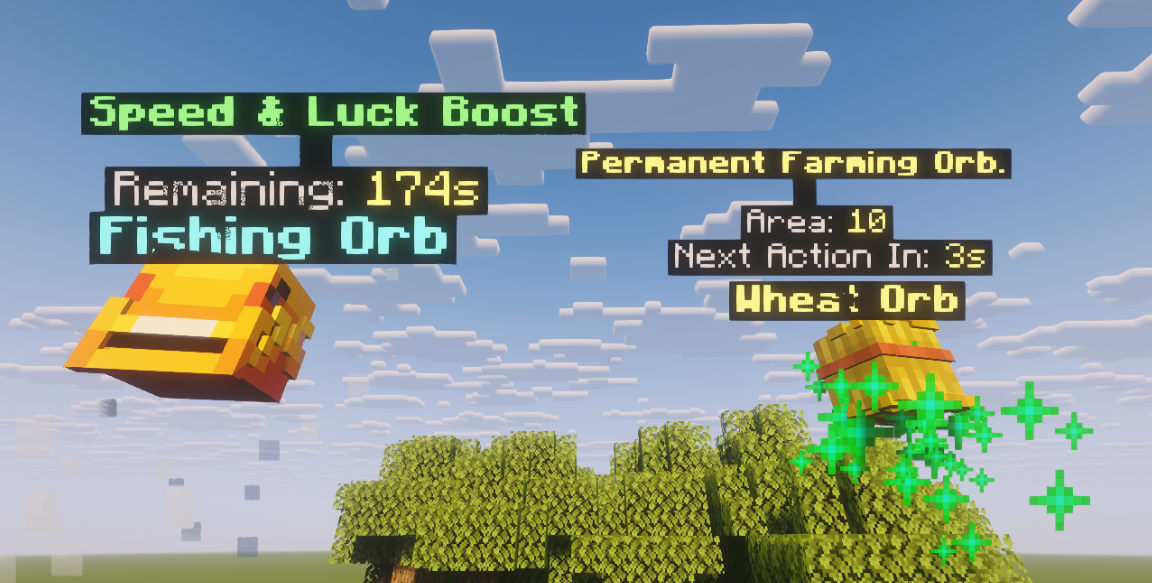
- Added Hologram lines to the orb configuration. Requires DecentHolograms to use. In settings.yml, set Global.Use-DecentHolograms to true to enable it.
- Just add a "hologram" and (optional) hologram-height text list in the orb config. Example:
-
  #Holograms lines, if any, otherwise leave it empty:
  #hologram: []
  hologram:
    - "&e&lPermanent Farming Orb."
    - " "
    - "&7Area: &e%aoe%"
    - "&7Next Action In: &e%nextAction%s"

  #You'll need to change this value if you want the hologram to be placed just above the Orb's name. The Orb name is not an Hologram.
  #Recommended value for 5 lines is 3.085 and 4 lines 2.72. You can modify this, use /orbs reload and then replace the orbs to test the values.
  hologram-height: 2.72
-
- Default config will have this by default now in some orbs.
- All hologram lines will contain the same placeholders as the lore placeholder, with the addition of %remaining%
-
  hologram:
    - "&a&lSpeed & Luck Boost"
    - " "
    - "&7Remaining: &e%remaining%s"
  hologram-height: 2.38
-
- Just add a "hologram" and (optional) hologram-height text list in the orb config. Example:
- All orbs but Dropped can have holograms. Dropped orbs can execute a lot of actions and the display name already shows all the necessary information, so they do not have holograms.
- The holograms are not stored anywhere, they are all loaded from config, so you can turn them on/off anytime without any problems.
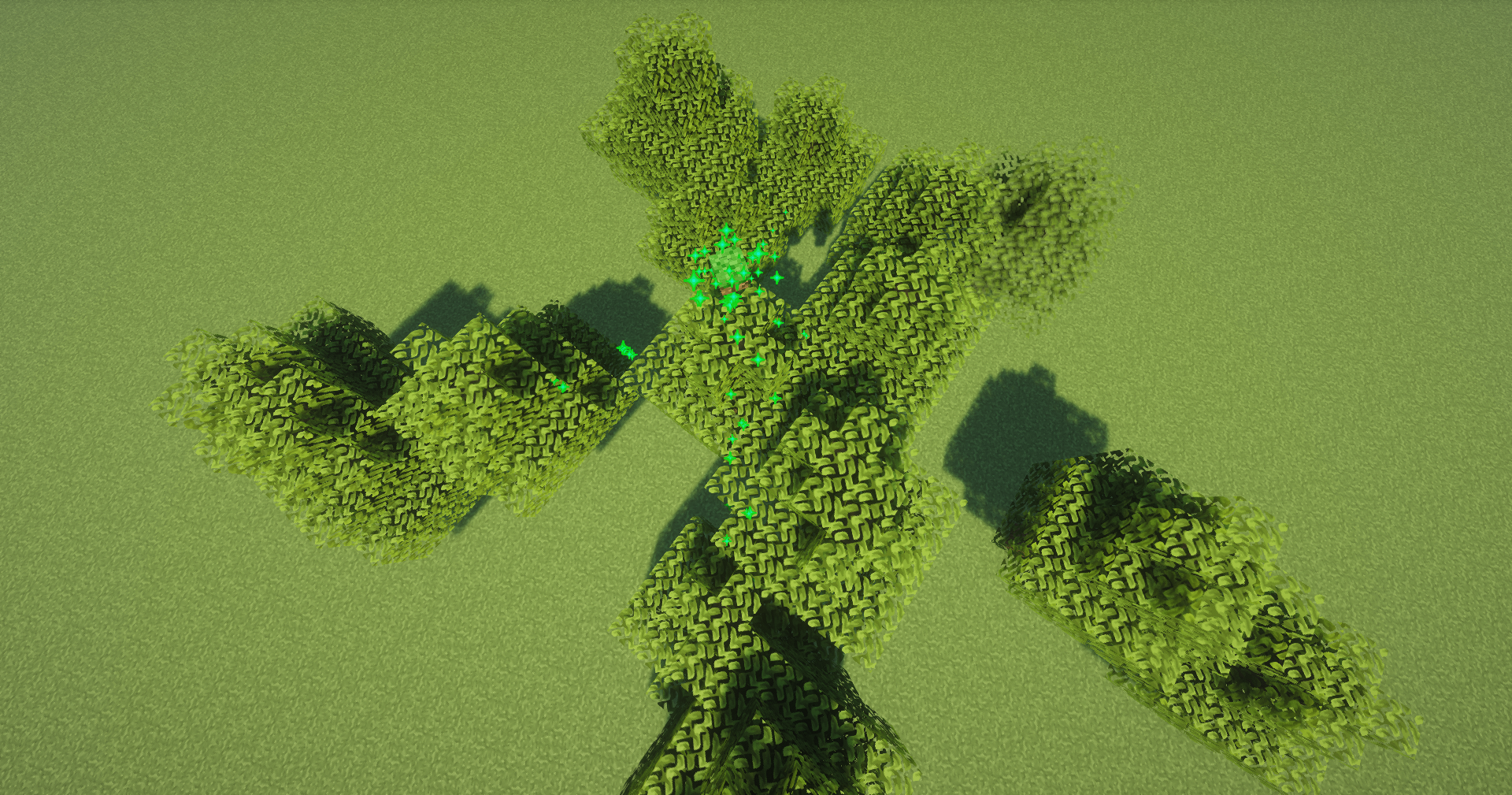
- Fixed default tree orb type.
0
oak:
  type: trees
  name: "&a&lOak Tree Orb"
  tree: OAK #Check the types here: https://hub.spigotmc.org/javadocs/spigot/org/bukkit/TreeType.html
  mode: SAPLING #Two Modes: SAPLING or GENERATE. SAPLING will only plant a sapling. GENERATE will generate a full-grown tree.
  amount: 1 #Multiple trees can be planted or generated at once!
  lore:
    - "&7Area: &e%aoe%"
    - "&7Duration: &a%duration%s"
    - "&7Cooldown: &c%cooldown%s"
    - "&7Plant Delay: &a%delay%s"
    - "&7Amount: &a%amount%"
    - " "
    - "&7Price: &a%price%"
  price: 0
  permission: ""
  aoe: 10
  duration: -1
  ownedByServer: true
  rotate-only: true
  spawn-particles: true
  particles: HAPPY_VILLAGER
  cache-update-delay: -1
  effect-delay: 160
  cooldown: 0
  head: "eyJ0ZXh0dXJlcyI6eyJTS0lOIjp7InVybCI6Imh0dHA6Ly90ZXh0dXJlcy5taW5lY3JhZnQubmV0L3RleHR1cmUvOTdiMjQ1ZjNmMTUwYmE2MjE2NzU5MTZhMjlkMDA2OTA5OTBkZGQ4ZGU2MDMyOTNkZDJmNWY4MDA3MGEyOTA4In19fQ=="